
Analytics for Small Businesses: Smarter A/B Testing
Every marketing manager has faced the headache of guessing which campaign tweak really moved the needle. With limited time and resources, small e-commerce businesses need more than hunches—they need real-time analytics that reveal what works the moment it happens. Simple, actionable analytics help you catch underperforming A/B test variations early and highlight where your customer experience can improve fast. This guide details how real-time data empowers smarter decisions even without a large IT team.
Table of Contents
- Analytics For Small Businesses Defined
- Types Of Analytics And Real-Time Insights
- How Analytics Drives Effective A/B Testing
- Costs, Risks, And Common Pitfalls
- Comparing Analytics Tools And Alternatives
Key Takeaways
| Point | Details |
|---|---|
| Effective Analytics Use | Small businesses can leverage existing data sources to improve decision-making without complex tools. |
| Real-Time Insights | Real-time analytics enable immediate response to data changes, optimizing operations dynamically. |
| Avoiding Common Pitfalls | Understanding testing pitfalls and designing robust experiments can prevent costly mistakes. |
| Choosing Appropriate Tools | Selecting the right analytics tools that fit actual needs is crucial for actionable insights without unnecessary complexity. |
Analytics for Small Businesses Defined
Business analytics for small businesses means collecting and analyzing data from your operations to make smarter decisions. It's not about complex dashboards or hiring data scientists—it's about using real information to understand what's working and what isn't.
Small business analytics typically draws from sources you already use daily. Your customer relationship management (CRM) system, accounting software, email campaigns, and website traffic all generate valuable data. When combined, these data points reveal patterns you can act on immediately.
The core purpose is straightforward: identify inefficiencies, optimize operations, and understand your customers better. You're looking for answers to practical questions like which marketing channels bring in your best customers, which products have the highest margins, or where you're losing money.
Small businesses face unique constraints that make analytics even more valuable. You likely don't have a large IT department or unlimited budget for enterprise software. That means you need analytics solutions that work with limited resources while still delivering actionable insights.
Here's what analytics for small businesses actually accomplishes:
- Identify quick wins in pricing, product features, or marketing messaging
- Reduce guesswork when deciding where to spend your limited marketing budget
- Track real-time results from changes you make, so you know what works today—not next quarter
- Sense market opportunities faster than competitors without data systems
- Allocate resources more strategically across your team and budget
The analytics that matter most to e-commerce managers are conversion-focused. You're running A/B tests on landing pages, checkout flows, and product recommendations. Real-time analytics let you stop underperforming variations early and scale winners faster.
Small businesses that use data analytics to guide decisions see measurable improvements in operational efficiency and customer understanding, even without large IT infrastructure.
What makes this different from enterprise analytics is the speed and simplicity requirement. You need results in days, not months. You need tools you can set up without technical expertise. You need to see whether your hypothesis was right before you forget why you tested it in the first place.
Analytics for small businesses is about turning observations into decisions. When you notice your cart abandonment rate spiked last Tuesday, you want to know why immediately. When a landing page variant outperforms the original, you want to understand which element made the difference—headline, button color, offer, or copy tone.
Pro tip: Start by tracking the 3-5 metrics that directly impact revenue in your business (conversion rate, average order value, customer acquisition cost), then expand analytics gradually as you get comfortable interpreting the data.
Types of Analytics and Real-Time Insights
Analytics comes in different flavors, and understanding which type answers your specific question is crucial for A/B testing success. Not all analytics are created equal, and small business managers need to know which ones drive decisions.
There are four core types of analytics that work together to tell your business story:
Here's a quick reference to the four core types of analytics and their unique business benefits:
| Analytics Type | Main Question Answered | Typical Use Case | Benefit for Small Businesses |
|---|---|---|---|
| Descriptive | What happened? | Track daily conversion rates | Reveals current performance trends |
| Diagnostic | Why did it happen? | Analyze sudden traffic drops | Identifies root causes instantly |
| Predictive | What will happen next? | Forecast seasonal demand | Prepares for upcoming changes |
| Prescriptive | What should be done? | Recommend new checkout flows | Guides actionable improvements |
- Descriptive analytics shows what happened (your checkout conversion rate dropped 3% on Tuesday)
- Diagnostic analytics explains why it happened (visitors from a specific traffic source had higher cart abandonment)
- Predictive analytics forecasts what will happen next (based on seasonal patterns, orders will spike 22% next month)
- Prescriptive analytics recommends actions to take (test this new checkout flow to reduce friction)
For A/B testing specifically, you rely heavily on descriptive and predictive analytics. Descriptive tells you the test results right now. Predictive helps you understand whether today's winner will stay a winner next month.

Real-time analytics is where the magic happens for e-commerce. Real-time analytics means immediate processing and analysis of data as it happens, not hours or days later. You see results instantly.
Why does real-time matter? Consider this scenario: you launch a landing page variation at 9 AM. By noon, real-time analytics shows it's converting 34% worse than the original. You can stop it immediately and save thousands in wasted ad spend. Without real-time visibility, you wouldn't know until Friday's report review.
Small business managers benefit most from real-time descriptive analytics. You want to know your conversion rate, bounce rate, and average order value updated every few minutes. This lets you spot problems and opportunities while they're happening.
Real-time insights enable you to react promptly to changing conditions and optimize operations dynamically, rather than waiting for historical reports.
The difference between real-time and traditional analytics is speed. Traditional batch analytics processes data at scheduled intervals—nightly reports, weekly summaries. Real-time analytics runs continuously, giving you visibility into what customers are doing right now.
Here's what real-time analytics reveals in A/B testing:
- Immediate test performance (which variation is winning at this moment)
- Traffic patterns (when visitors arrive, where they come from)
- User behavior flows (which steps cause abandonment)
- Device and browser issues (mobile vs. desktop conversion differences)
- Geographic performance (which regions respond better to your test)
The challenge for small businesses used to be accessing real-time data without expensive infrastructure. You needed streaming platforms and data engineers. Now, modern analytics tools deliver real-time marketing insights with lightweight setups that don't slow down your website.
Pro tip: Focus first on real-time descriptive analytics—see your current conversion rate, traffic sources, and device breakdown—before worrying about predictive models or prescriptive recommendations.
How Analytics Drives Effective A/B Testing
Analytics transforms A/B testing from guesswork into science. Without data analysis, you're essentially flipping a coin to decide which variation to implement. With analytics, you have proof.
The connection is straightforward: analytics provides the framework to measure whether your test actually worked. It answers the question every marketer asks: "Is this result real, or just random chance?"
Here's how analytics powers your A/B tests:
- Validates hypotheses by measuring if changes actually impact user behavior
- Detects winners early using statistical methods that reduce time to decision
- Reveals why visitors behave differently between variations
- Prevents false positives by controlling error rates and statistical rigor
- Optimizes sample sizes so you don't run tests longer than necessary
Consider a common scenario: your new checkout button converts at 12.4% versus 11.9% for the old version. Sounds like a winner, right? Not necessarily. Analytics tells you whether this 0.5 percentage point difference is statistically significant or just normal variation.
Without analytics, you might confidently implement a change that was actually just luck. With analytics, you know exactly how confident you should be. Analytics enables early detection of significant effects while controlling error rates, which accelerates decision-making on rollouts.
Analytics also guides test design from the start. Before you run a single test, analytics helps you determine the right sample size. Too small and you can't trust results. Too large and you're wasting time. Analytics finds the sweet spot.
Moreover, data-driven insights from A/B tests reveal how changes impact user behavior and key performance metrics. You see not just whether visitors converted, but where they clicked, how long they stayed, and which device they used.
Advanced statistical methods allow you to spot winners faster and with more confidence, turning experiments into competitive advantages.
For small e-commerce businesses, this matters enormously. You're testing limited variations with limited traffic. Analytics makes every test count. Instead of waiting weeks for "statistical significance," modern analytics can alert you to clear winners within days.
The analytics dashboard shows you real-time test performance across multiple dimensions:
- Conversion rates by traffic source
- Revenue impact of each variation
- Customer segments responding differently
- Device-specific results (mobile performs differently than desktop)
- Geographic differences in test performance
This granular visibility lets you make smarter decisions. Maybe variation A wins overall, but variation B actually converts better for mobile users. Analytics reveals these insights so you can optimize further.
Pro tip: Set up analytics to track at least one secondary metric (like average order value or customer lifetime value) alongside your primary conversion rate—this reveals whether you're making money or just moving visitors around.
Costs, Risks, and Common Pitfalls
A/B testing sounds simple—run two versions, see which wins, implement it. Reality is messier. Small businesses often make mistakes that waste time, money, and resources without realizing it.
The costs of A/B testing for small businesses aren't usually massive software fees. Your biggest costs are hidden: traffic diverted to losing variations, test setup time, and opportunity costs. If you test a losing idea for two weeks, you've lost two weeks of conversions.
Here's what actually costs money in A/B testing:
- Wasted ad spend on variations that underperform
- Team time designing, implementing, and analyzing tests
- Prolonged testing periods that delay winner implementation
- Mistakes in test setup that invalidate results and force retesting
- Over-testing on small sample sizes where results aren't reliable
The financial risk increases when you make testing mistakes. False positives from misinterpreting statistical significance can lead to implementing changes that actually hurt your business. You might celebrate a 1.2% "improvement" that disappears in your next 1,000 visitors.
Common testing pitfalls that drain resources include ignoring segment-level impacts. Your overall test shows a winner, but when you slice the data, the winning variation actually converts worse for mobile users or new visitors. You'll implement something that helps some segments while hurting others.
Another critical mistake is testing without understanding your traffic sources. Traffic from paid ads might respond differently than organic traffic. Email subscribers might have different patterns than new website visitors. If you ignore these differences, you'll optimize for the wrong audience.
Rigorous experimental design and careful data interpretation prevent costly mistakes that waste resources and lead to wrong business decisions.
Small businesses also struggle with statistical understanding. You get impatient after a few days and declare a winner based on limited data. This increases false positives—you think you found a winner when it's just random variation. You implement the "winner," see it underperform, and waste another test cycle fixing the mistake.
Timing risks matter too. Testing during unusual periods—holiday seasons, after viral events, during email campaigns—skews results. You optimize for abnormal traffic patterns that won't repeat.
Here are the pitfalls that cost small businesses the most:
- Premature decisions before reaching statistical significance
- Ignoring segment differences across user types or traffic sources
- Testing too many variables simultaneously, making it impossible to know what caused results
- Not tracking secondary metrics like customer lifetime value alongside conversion rate
- Forgetting to account for interactions between changes (button color plus copy both affect results)
The good news? Most pitfalls are preventable. They require discipline and process, not expensive tools. You need clear hypotheses before testing, proper sample sizes, and patience to wait for valid results.
Pro tip: Always run your test until you reach 100 conversions in each variation as an absolute minimum—this dramatically reduces false positives and prevents costly mistakes based on small sample luck.
Comparing Analytics Tools and Alternatives
Choosing an analytics tool overwhelms small business owners. The market has dozens of options, each promising to transform your data into insights. The real question is: which one actually fits your needs and budget?
You have three main categories to consider. Web analytics platforms track visitor behavior on your site. Business intelligence tools combine data from multiple sources into dashboards. A/B testing-specific platforms focus on experiment management and conversion optimization.
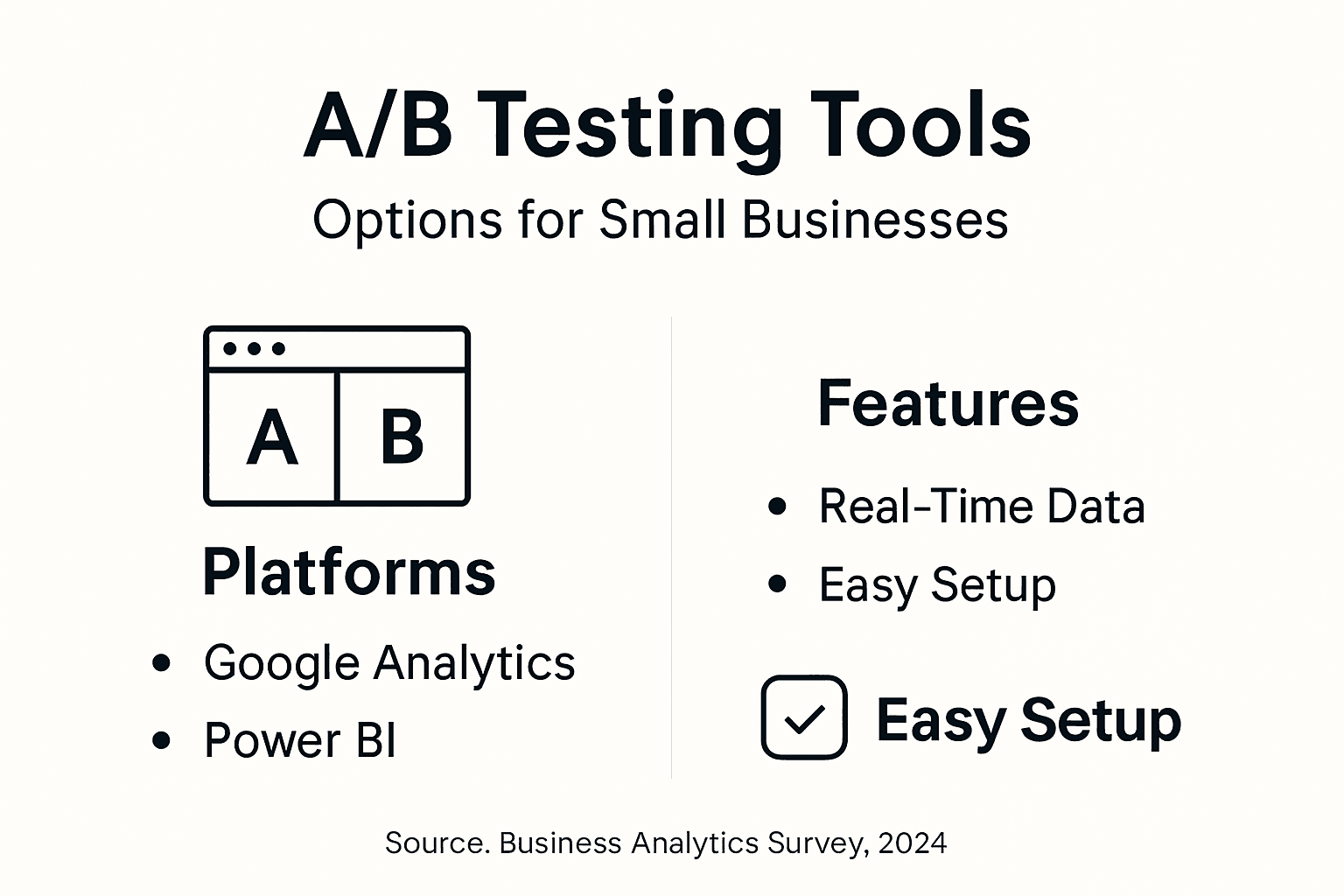
Google Analytics sits at the foundation for most small businesses. It's free, comprehensive for web traffic, and integrates with most platforms. You get visitor counts, traffic sources, user behavior flows, and basic conversion tracking. The downside? Setting it up properly requires some technical knowledge, and the interface overwhelms beginners.
Popular analytics tools for small businesses range from Microsoft Power BI for advanced visualization to budget-conscious platforms like Zoho Analytics. Each offers different strengths depending on your specific requirements.
Here's how major alternatives compare for e-commerce A/B testing:
Below is a side-by-side comparison of leading analytics tools for small business A/B testing:
| Tool | Real-Time Testing | Usability Level | Cost Estimate |
|---|---|---|---|
| Google Analytics | Limited | Moderate | Free |
| Microsoft Power BI | Moderate | Advanced | Starts at $20/month |
| Zoho Analytics | Basic | High | $24/month for teams |
| Tableau | Limited | Advanced | $70/month per user |
| Mixpanel | Excellent | Moderate | Free, paid from $25/mo |
- Google Analytics - free, web traffic focused, steep learning curve, limited A/B testing features
- Microsoft Power BI - advanced visualizations, higher cost, requires data expertise
- Zoho Analytics - affordable, user-friendly, good for small teams, limited real-time capabilities
- Tableau - powerful dashboards, expensive, enterprise-focused
- Mixpanel - real-time product analytics, event-driven tracking, better for SaaS than e-commerce
The critical difference for small e-commerce businesses is real-time A/B testing capabilities. You need to see test results updating as visitors arrive, not hours later. Many traditional analytics tools weren't built for this speed.
When selecting analytics tools based on specific needs like website performance monitoring or customer insights, cost and integration matter enormously. A $200/month tool that requires 20 hours of setup wastes money. A $50/month tool you can configure in an afternoon saves both.
Choose tools that match your actual workflow, not your aspirations—the best tool is the one you'll actually use consistently.
Small businesses often make mistakes by choosing tools designed for enterprise use. You get features you'll never use, complexity you don't need, and monthly bills that hurt. Meanwhile, simpler tools that answer your immediate questions stay idle.
Consider your actual needs first:
- Do you need real-time test results or weekly reports?
- Will you test landing pages, checkout flows, or product pages?
- How many team members need access?
- Do you need integration with your email platform or CRM?
- What's your monthly traffic volume?
Many small businesses already have tools that can handle A/B testing if configured properly. Your email platform might have built-in A/B testing. Your CRM might have analytics dashboards. Before buying new tools, audit what you already own.
Pro tip: Start with free or freemium tools (Google Analytics, your platform's native testing) and upgrade only when you hit their limits—most small businesses never need enterprise-grade analytics.
Unlock Smarter A/B Testing with Real-Time Analytics Tailored for Your Small Business
Navigating the challenges of A/B testing can be overwhelming when you face limited resources and tight schedules. This article highlights critical pain points including the risk of wasted ad spend, the need for real-time insights, and the importance of tracking metrics that directly impact revenue such as conversion rate and average order value. Your goal is clear: reduce guesswork, make faster decisions, and confidently validate test results without complex setups or expensive tools.
Stellar offers a lightweight, no-code A/B testing platform designed specifically for small to medium-sized businesses looking to overcome these hurdles. With its real-time analytics and advanced goal tracking, you can catch winning variations early and optimize campaigns on the spot. Using Stellar’s visual editor and dynamic keyword insertion, you get speed and simplicity without sacrificing powerful insights.
Explore how Stellar’s real-time analytics empower you to move beyond traditional testing delays. Discover our intuitive visual editor that eliminates technical barriers and lets you launch experiments in minutes.

Stop guessing and start knowing with Stellar. Visit https://gostellar.app now to begin your free plan and gain control over your A/B testing performance today.
Frequently Asked Questions
What are the benefits of using analytics for small businesses?
Analytics helps small businesses identify inefficiencies, optimize operations, and better understand customers. It enables informed decisions on pricing, marketing, and resource allocation based on real data.
How can small businesses implement A/B testing effectively?
Small businesses should define clear hypotheses, start with manageable sample sizes, and focus on key performance metrics. Using real-time analytics can help identify winners quickly, reducing wasted time and resources.
What types of analytics are most important for A/B testing?
Descriptive and predictive analytics are crucial for A/B testing. Descriptive analytics show the test results, while predictive analytics help forecast future performance based on current data trends.
What common mistakes do small businesses make in A/B testing?
Common mistakes include making premature decisions based on small sample sizes, ignoring differences among audience segments, and failing to track secondary metrics that provide deeper insights into customer behavior.
Recommended
Published: 2/26/2026