
Web UI testing guide: Boosting UX and performance for SMBs
TL;DR:
- Effective web UI testing boosts conversions and prevents revenue loss from site issues.
- SMBs should use a hybrid approach, automating key flows and manually testing new features.
- Prioritize performance and mobile UX testing to maximize user experience and business growth.
Most small and medium-sized businesses assume that serious web UI testing belongs to enterprise teams with dedicated QA departments and six-figure budgets. That assumption is costing you real money. UX improvements can increase conversions by up to 400%, which means every broken button, misaligned form, or slow-loading page is a direct hit to your bottom line. The good news is that modern tools have made effective UI testing faster, cheaper, and far more accessible than it was even three years ago. This guide walks you through what web UI testing actually involves, which approaches fit SMB budgets, and how to avoid the traps that waste most teams' time.
Table of Contents
- What is web UI testing and why does it matter?
- Manual, automated, and hybrid approaches: Pros, cons, and best use cases
- Common pitfalls and advanced scenarios: What most SMBs miss
- Choosing the right web UI testing tools for marketers and PMs
- Our take: The biggest ROI in web UI testing for SMBs
- Ready to transform your web UI testing?
- Frequently asked questions
Key Takeaways
| Point | Details |
|---|---|
| UI testing drives conversion | Proper web UI testing can raise your conversion rate by up to 400% for SMBs. |
| Combine manual and automated tests | A hybrid approach gives your team both high coverage and deep usability insights efficiently. |
| No-code tools offer fast wins | SMB teams can quickly start testing with accessible, affordable no-code and low-code solutions. |
| Focus on edge cases and real devices | Testing unusual scenarios and using real hardware surfaces errors that simpler testing often misses. |
| Prioritize site speed and mobile UX | Optimizing for page load times and mobile usability has the largest impact on business results. |
What is web UI testing and why does it matter?
Web UI testing is the practice of verifying that every visual and interactive element on your website works correctly for real users across real conditions. It is not just about finding bugs. It is about making sure your site looks right, loads fast, and behaves predictably whether someone is on a desktop in Chrome or a phone on a slow connection.
Web UI testing covers layout, visual consistency, responsiveness, interactivity, performance, accessibility, and cross-browser compatibility. Each of those dimensions affects how users experience your product and, ultimately, whether they convert or leave.
Here is what a solid UI testing practice typically checks:
- Visual layout: Are elements positioned correctly? Do fonts, colors, and spacing render as designed?
- Responsiveness: Does the site adapt cleanly to mobile, tablet, and desktop screen sizes?
- Interactivity: Do buttons, forms, dropdowns, and modals behave as expected?
- Performance: Do pages load within acceptable time thresholds?
- Accessibility: Can users with disabilities navigate and use the site effectively?
- Cross-browser compatibility: Does the experience hold up across Chrome, Firefox, Safari, and Edge?
For SMBs, the business case is direct. Poor UI costs reputation, SEO, and revenue in ways that compound over time. A broken checkout flow does not just lose one sale. It trains users to distrust your brand.
"Your website is often the first and only impression you get. A UI failure at the wrong moment is not a technical problem. It is a revenue problem."
Learning solid web based testing strategies helps you prioritize what to test first and where the biggest wins are hiding. And pairing UI testing with a focus on the importance of page speed gives you a compounding advantage: faster pages and cleaner interfaces together drive measurably better user outcomes.
The key mindset shift for SMBs is this: UI testing is not a final step before launch. It is an ongoing practice that protects everything you have already built.
Manual, automated, and hybrid approaches: Pros, cons, and best use cases
Once you understand what to test, the next question is how. There are three main approaches, and each has a distinct role depending on your team size, budget, and testing goals.
Manual testing means a human tester clicks through the site, explores features, and reports issues. It is slower and harder to scale, but it catches nuanced UX problems that scripts simply cannot detect. A tester can notice that a button feels hard to click even if it is technically functional. Manual excels at exploratory and usability tasks; automation enables coverage and speed.
Automated testing uses scripts or tools to run predefined checks repeatedly and quickly. It is ideal for regression testing, meaning checking that new changes did not break existing functionality. Automated tests run overnight, across browsers, without human effort.

Hybrid testing combines both. Most SMBs land here because it gives the best return without requiring a full QA team.
| Approach | Speed | Cost | Best for |
|---|---|---|---|
| Manual | Slow | Low to medium | UX review, exploratory testing |
| Automated | Fast | Medium to high setup | Regression, cross-browser checks |
| Hybrid | Balanced | Moderate | SMBs needing coverage and nuance |
Here is a simple sequence that works well for SMB teams:
- Automate your core user flows first, like signup, login, and checkout.
- Run manual spot-checks on new features before each release.
- Use visual regression tools to catch layout shifts after code updates.
- Schedule automated cross-browser runs weekly or after major changes.
Pro Tip: If you want to master web testing without a developer on call, start with no-code tools that record and replay user actions. They give you automation benefits without requiring you to write a single line of code.
For marketers who want to run tests independently, A/B testing without dev support is entirely achievable when you pair the right tools with a clear testing plan. The hybrid model is not a compromise. It is often the smartest allocation of limited resources.
Common pitfalls and advanced scenarios: What most SMBs miss
Standard testing covers the happy path, meaning the ideal sequence of actions a user takes. But real users do not follow scripts. They type unexpected inputs, lose their internet connection mid-checkout, and use screen sizes you never planned for.
Edge cases include unexpected user input, server failures, and extreme screen sizes. Ignoring these is where most SMB testing programs fall short.
Here are the scenarios your testing plan should cover but probably does not:
- Empty states: What does a user see when search results return nothing?
- Slow network conditions: Does your site degrade gracefully on a 3G connection?
- Localization: If you serve international users, do currency symbols, date formats, and translated text still fit the layout?
- Long inputs: What happens when someone types 200 characters into a field designed for 50?
- Session timeouts: Does the site handle expired sessions without losing user data?
Another major issue is flaky tests. These are automated tests that sometimes pass and sometimes fail without any real change in the code. Flaky tests can waste up to 50% of QA time, and visual regression testing using AI can catch subtle UI shifts. If your team spends half its testing time re-running tests to see if they were "just a fluke," that is a serious efficiency problem.
"Flaky tests are not a minor annoyance. They erode trust in your entire testing suite and slow down every release cycle."
Pro Tip: Use real devices for mobile testing whenever possible. Emulators are useful for speed, but they miss touch behavior quirks and actual rendering differences that only show up on physical hardware.
Visual regression testing is one of the most underused tools in the SMB toolkit. It takes a screenshot of your UI before and after a code change, then flags any pixel-level differences. It catches the kind of subtle layout shifts that no one notices until a customer screenshots it and posts it publicly. Pairing this with solid web application testing services gives you a safety net that scales with your growth.
Choosing the right web UI testing tools for marketers and PMs
The tool landscape for UI testing has expanded dramatically. You no longer need to choose between "free but painful" and "powerful but expensive." There are genuinely good options at every budget level.
SMB-friendly tools include BrowserStack Percy, Playwright, Cypress, BugBug, ScanlyApp, and Selenium, each with different strengths depending on your technical comfort level and testing goals.
| Tool | Type | Best for | Free tier? |
|---|---|---|---|
| Playwright | Automated | Fast, reliable cross-browser testing | Yes |
| Cypress | Automated | Developer-friendly end-to-end testing | Yes |
| BrowserStack Percy | Visual regression | Catching layout shifts across browsers | Limited |
| BugBug | No-code automated | Non-technical teams, quick setup | Yes |
| ScanlyApp | Automated/visual | SMB-focused, easy onboarding | Yes |
| Selenium | Automated | Custom, flexible scripting | Yes |
If you are choosing between Playwright and Cypress, the performance data is clear. Playwright is 1.45x faster than Cypress and offers 80 to 90% fewer flaky test results. For teams where testing time directly affects release speed, that difference matters.
For marketers and PMs who are not developers, no-code tools like BugBug and ScanlyApp are the right starting point. They let you record user flows visually and replay them automatically without writing scripts.
Here is what to prioritize when evaluating any tool:
- Does it integrate with your existing workflow and CI/CD pipeline?
- Can non-technical team members use it without constant developer help?
- Does it support the browsers and devices your actual users are on?
- What does failure look like? Are error reports clear and actionable?
Exploring fast website testing strategies will help you sequence your tool adoption so you get quick wins first and build toward more sophisticated coverage over time.
Our take: The biggest ROI in web UI testing for SMBs
Here is the uncomfortable truth most testing guides skip: chasing 100% automated test coverage is a trap for SMBs. It sounds rigorous, but it burns engineering time on low-value edge cases while the highest-impact user flows go under-tested because the team is busy maintaining a bloated test suite.
The highest ROI path is simpler. Focus 80% of your automated testing on the stable, high-traffic flows that directly touch revenue: signup, onboarding, checkout, and key landing pages. Use the remaining 20% for manual, exploratory checks on new features and anything that changed recently. That ratio surfaces most costly bugs without the overhead of maintaining hundreds of brittle scripts.
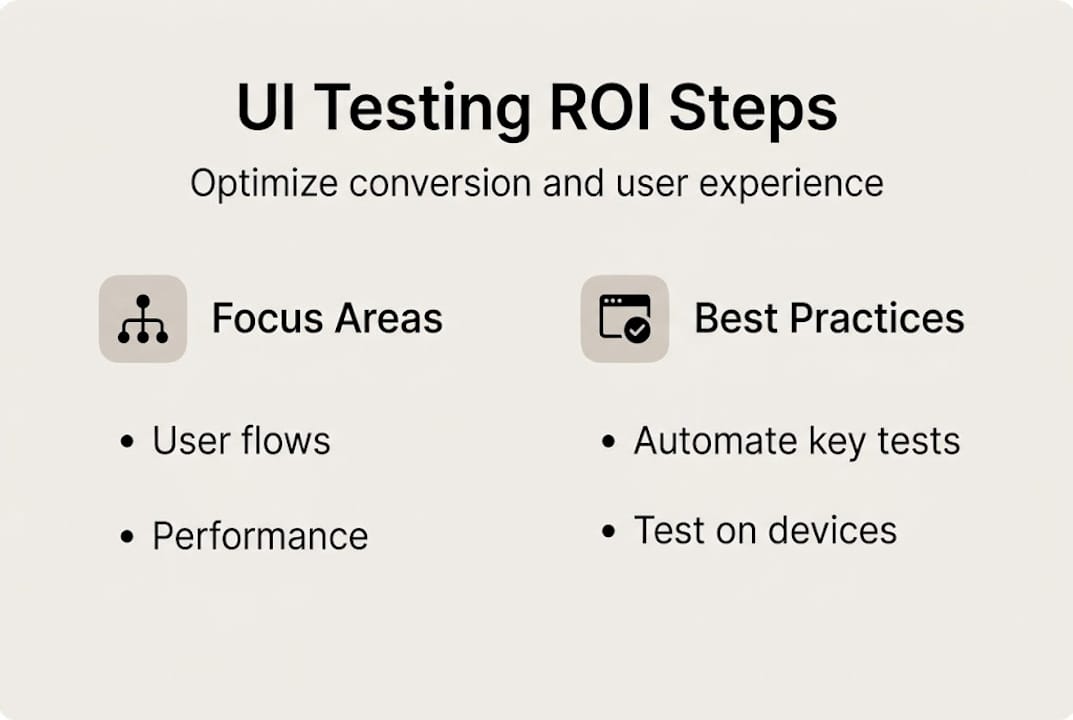
The most overlooked win? Performance and mobile UX. Most SMBs test functionality but skip performance benchmarks and real-device mobile checks. Yet the website speed conversions guide data is clear: slow pages kill conversions before users even see your UI. A site that functions perfectly but loads in four seconds is still losing customers.
Smart SMB teams treat performance testing as part of UI testing, not a separate discipline. That integration is where the real competitive edge lives.
Ready to transform your web UI testing?
You now have a clear picture of what web UI testing involves, which approach fits your team, and which tools give SMBs the best return. The next step is putting it into practice without overcomplicating it.

Stellar is built for exactly this kind of work. As a lightweight, no-code platform designed for marketers and PMs, it lets you run A/B tests, track real-time performance, and validate UX changes without needing a developer at every step. The script is only 5.4KB, so it adds zero meaningful load to your pages. If you are ready to get started with web UI testing in a way that actually fits your workflow, Stellar is a natural next step. You can also explore CRO tools for speed to see how performance and testing work together to drive real growth.
Frequently asked questions
What exactly does web UI testing check on a website?
Web UI testing checks layout, visual consistency, interactivity, performance, accessibility, and cross-browser compatibility to ensure a seamless user experience across all devices and browsers.
Which web UI testing tools are best for small businesses?
Top SMB-friendly tools are BrowserStack Percy, Playwright, Cypress, BugBug, ScanlyApp, and Selenium, with many offering free tiers that are sufficient for early-stage testing programs.
How much can better UI testing boost conversion rates?
Empirical benchmarks show that improving user experience through UI testing can lift conversions by as much as 400%, making it one of the highest-leverage investments an SMB can make.
Should SMBs automate all UI tests?
A hybrid approach works best: automate 80% of stable, high-traffic paths and reserve manual testing for new features, exploratory scenarios, and nuanced UX details that scripts cannot reliably catch.
Recommended
- Master web testing in 2026: boost conversions 20% faster
- Master conversion testing: boost website performance by 18%
- Web application testing services: Boost CRO with smarter experiments
- Web Based Testing Strategies for CRO and Growth Teams 2025
- Homepage efficace : boostez conversion pour consultants 2026 - Vamyr Studio
Published: 4/15/2026