
Increase Demo Requests: Conversion Tactics for Marketers
The fastest way to lift demo requests comes down to three changes: reframe the demo as a personalized consultation tied to buyer outcomes instead of a product tour, put a clear demo CTA on every bottom-of-funnel page (not just the homepage), and cut form friction with a short field set plus calendar integration. Teams that make these three changes together typically see movement within a couple of weeks of testing.
Run this as your starting checklist:
- Rewrite hero and CTA copy around what the buyer gets, not what the software does
- Add a single-field top-of-funnel CTA, then collect deeper qualification after scheduling
- Wire up auto-scheduling so a booked time appears instantly, no email back-and-forth
- Trigger an immediate confirmation plus a reminder sequence by SMS or email
Watch three numbers as you test: requests per 1,000 sessions, request to show rate, and show to opportunity rate. Analyst guidance on lead-generation forms backs the friction-reduction approach, and a tool like Gostellar can run these page and form variants without needing an engineer.
Pro Tip: Before touching copy, audit your current request to show rate first. A weak scheduling flow will sink even a perfect headline test.
Key Takeaways
Demo requests convert best when the page frames the meeting as a personalized consultation, the form stays short with progressive profiling, and follow-up happens within the hour.
| Point | Details |
|---|---|
| Reframe the demo | Position it as a consultation tied to buyer outcomes, not a feature walkthrough. |
| Cut form friction | Start with two or three fields, then use progressive profiling after booking. |
| Place CTAs on BOFU pages | Add demo CTAs to pricing, feature, and competitor pages, not just the homepage. |
| Track three metrics | Watch request rate, request to show rate, and show to opportunity rate together. |
| Test with Gostellar | Use its no-code editor and goal tracking to run headline, form, and CTA experiments quickly. |
Table of Contents
- What Is a Demo Request, and Why Does It Matter?
- Proven Tactics to Generate More Demo Requests
- Anatomy of a High-Converting Demo Request Page
- How Should Your Demo Form and Scheduling Flow Work?
- How Do You Qualify and Route Demo Requests?
- What A/B Tests Actually Move Demo Request Numbers?
- What Do High-Performing Demo Pages Have in Common?
- Ready-to-Use Demo Request Templates and Snippets
- What I've Learned Optimizing Demo Flows
- A Faster Way to Test What's Actually Working
- Sources
What Is a Demo Request, and Why Does It Matter?
A demo request is a prospect asking, on their own initiative, for a live walkthrough mapped to their specific goals. That distinction from a generic contact form matters more than it sounds.
A "contact us" submission could mean anything from a job inquiry to a support question. A demo request means someone has already decided your product might solve a real problem, and they want to see it in action. Personalized live demos built around a prospect's stated goals convert better than generic product tours, which is exactly why treating every request as a scripted feature tour wastes the intent behind it.
A demo request is one of the clearest bottom-of-funnel signals in SaaS. The prospect isn't browsing. They've mentally moved from "is this relevant" to "show me if this works for us."
Where you place the CTA should shift with buying stage:
- Homepage: broad, outcome-led CTA for visitors still forming an opinion
- Pricing page: direct CTA next to plan comparisons, since these visitors are close to deciding
- Feature and competitor pages: specific CTA tied to the exact capability or comparison the page addresses
Proven Tactics to Generate More Demo Requests
Not every tactic deserves equal attention. Here's a rough priority order based on typical effort versus lift, so you can sequence your roadmap instead of trying everything at once.
- Rewrite copy around outcomes, not features. Swap "See our dashboard in action" for something tied to a KPI your buyer actually tracks, like "See how you'd cut reporting time by half." Business-outcome framing outperforms feature lists on pages that convert well, because it answers the buyer's actual question before they even click.
- Add a short interactive preview above the fold. A 60 to 90 second interactive walkthrough embedded directly on the page lets skeptical visitors self-qualify before committing to a live call. Save the full guided demo for prospects who've already shown intent by requesting a scheduled session. Interactive on-page demos are one of the highest-leverage tactics for lifting request volume without adding sales overhead.
- Place CTAs where BOFU traffic actually lands. Feature pages, pricing pages, and any content ranking for comparison or "alternative to" queries need a visible, consistent CTA. A visitor who searched "[competitor] alternative" is closer to a decision than one reading a blog post about industry trends.
- Build content that targets transactional intent. Gated case studies, product webinars, and SEO content aimed at bottom-of-funnel queries move prospects toward requesting a demo faster than top-of-funnel blog traffic ever will. Mapping content to buying phase and targeting BOFU search terms is one of the more overlooked levers marketing teams have, mostly because it requires coordinating SEO and sales content instead of treating them separately.
- Retarget warm traffic with demo-specific ads. Visitors who viewed pricing or a feature page but didn't convert are your best retargeting audience. Skip generic brand messaging here. Show them the exact outcome or feature they were already looking at, with a direct link back to the demo form.
Pro Tip: Run the copy rewrite and CTA placement changes before touching your interactive demo build. Copy and placement cost almost nothing to test and often produce the bigger initial lift.
Paid channels deserve a specific note. Retargeting audiences built from pricing-page visitors convert at a meaningfully higher rate than cold prospecting audiences, since the intent signal is already there. If your ad spend is split evenly between cold and warm audiences, you're probably underfunding the segment that's closer to requesting a demo.
Anatomy of a High-Converting Demo Request Page
Every element on this page should answer one of three questions for the visitor: what will I learn, how long will it take, and what do I walk away with. Skip any of those and drop-off climbs.
Start with the hero. The headline should state an outcome, not a capability. The subhead ties that outcome to something measurable, like a percentage lift or time saved. The CTA button itself needs to say more than "Submit," something closer to "See your setup in 20 minutes" works better because it sets an expectation.
Trust signals belong just below the fold, not buried at the bottom. Short, demo-specific testimonials and outcome snapshots displayed near the CTA do more work than a generic logo wall, because they answer the unspoken question: did this actually work for someone like me?
Form placement depends on your traffic. A modal works well for high-intent visitors arriving from a comparison page. An inline form embedded in the page performs better for cooler traffic that needs more context before committing. Test both rather than assuming one wins by default.
A few things to check before calling the page done:
- Mobile load time under 3 seconds, tested on an actual mid-range phone, not just desktop devtools
- CTA copy and placement consistent across homepage, pricing, and feature pages
- Form and scheduling events properly tagged in your analytics before launch
- Microcopy states demo length, format, and what the prospect leaves with
Pro Tip: List the demo length and format directly next to the CTA. Most enterprise demo pages list a 20 to 30 minute session up front, and that small detail alone reduces the perceived commitment enough to lift click-through.
How Should Your Demo Form and Scheduling Flow Work?
Keep the first screen minimal. Name and email, or email plus a calendar slot, is enough to start. Everything else can come after the prospect has already committed to a time.

Progressive profiling lets you collect company size, current tooling, and timeline after the initial conversion instead of front-loading all of it. Use skip logic so only genuinely ambiguous leads get routed to extra qualification questions; obvious fits shouldn't have to answer five fields just to book a slot.
Calendar integration matters more than most teams weight it. A form that ends in "we'll be in touch" loses momentum immediately. One that ends in a confirmed slot on the prospect's own calendar, with time zone already detected, closes the loop while intent is highest.
- Cap initial fields at two or three; save the rest for post-booking
- Auto-detect time zone rather than asking the prospect to select it manually
- Send a 24-hour reminder and a 1-hour reminder, each with a one-click reschedule link
- Route completed bookings straight into your CRM with owner assignment attached
Pro Tip: Test removing your "company size" dropdown from the initial form. It's a common qualification field, but it rarely changes how sales handles the first call, and it adds friction for exactly the buyers you want most.
How Do You Qualify and Route Demo Requests?
Speed and clarity here decide whether a demo request turns into a real opportunity or a wasted calendar slot. The goal isn't gatekeeping. It's making sure the right rep, with the right context, shows up prepared.
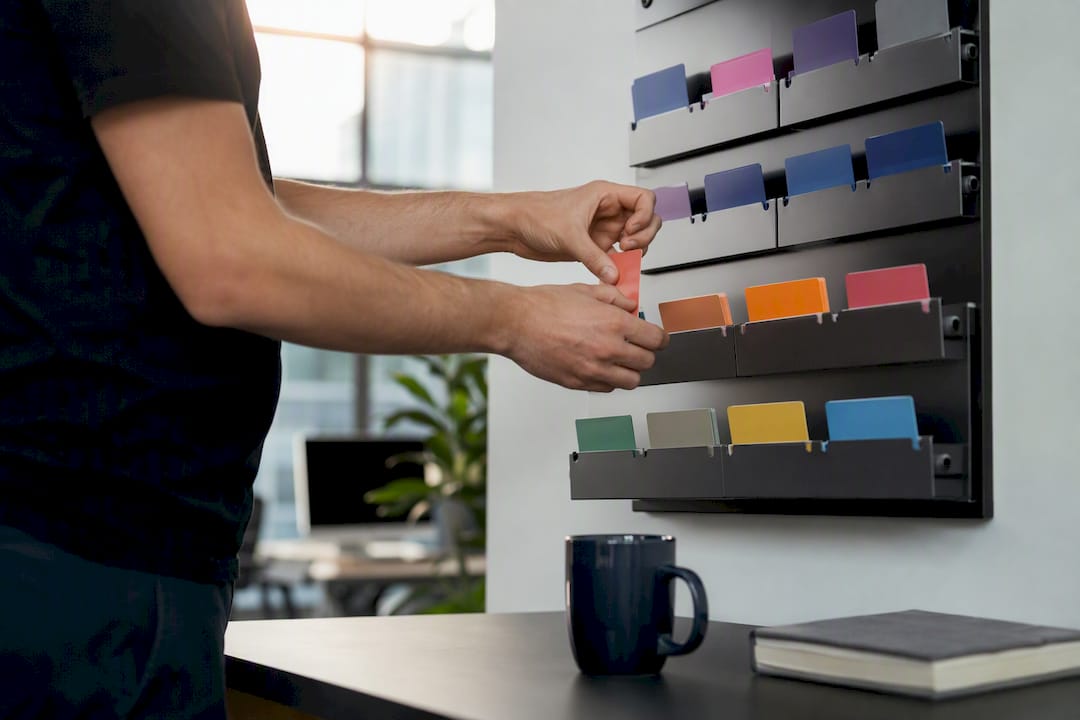
Use pre-demo qualification sparingly. A short pre-call form or a couple of required fields, paired with routing rules based on company size, use case, and stated timeline, is usually enough. Purpose-built demo forms that capture qualification details up front let reps personalize the call instead of asking basic discovery questions the prospect already answered.
Set a clear ownership SLA. Auto-assign every request to a rep within a defined window, typically under an hour during business hours, and build an escalation path if no one claims it. A request sitting unassigned for half a day is a request that's cooling off fast.
Once the demo is booked, treat it like a working session, not a scripted pitch:
- Open with a short agenda that confirms what the prospect wants to see
- Map each feature you show to a KPI or outcome they mentioned during signup
- Close with a specific next step, whether that's a pilot, a pricing conversation, or a proof of concept
Follow up within an hour of the request landing, even before the scheduled call happens. A short note confirming the booking and previewing what they'll see keeps momentum from stalling between request and show.
What A/B Tests Actually Move Demo Request Numbers?
Guessing which page element matters most wastes testing cycles. Run tests in this order, starting with changes that are cheap to build and easy to measure.
Test your hero headline first: outcome-framed copy against feature-framed copy. Then test CTA button copy, something like "Request a demo" against "Book a 20-minute consult," since the second framing sets a lower-commitment expectation that sometimes outperforms the generic version. Form length is another high-value test: single-field capture against a longer progressive form, measured all the way through to show rate, not just submission rate. Finally, test scheduling integration against a manual "we'll follow up" flow. This last one usually shows the clearest lift, since auto-scheduling directly reduces the friction that causes drop-off between request and confirmed booking.
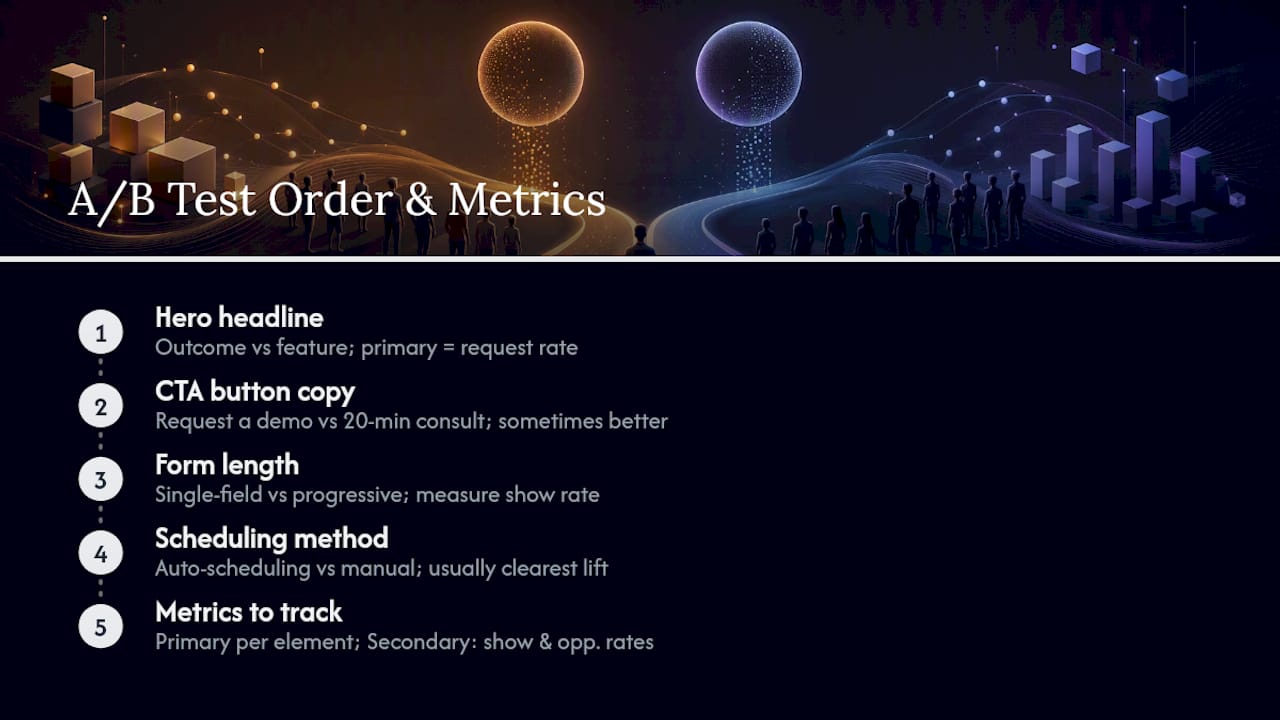
Track two tiers of metrics. Your primary KPI is the one tied to the specific element you're testing, like request rate for a headline test. Secondary KPIs, especially show rate and opportunity rate, tell you whether a "winning" variant is actually attracting better-fit prospects or just more of them.
Before launching any test, confirm your tracking is wired correctly: goal events fire on both form submission and confirmed booking, traffic split is even across variants, and no other campaign is running that could bleed traffic into your test window. A tool like Gostellar's A/B test idea library gives you a starting set of hypotheses if you're not sure where to begin. Report results with both the primary lift and the secondary quality metrics side by side. Numbers rise or fall together, and a stakeholder update showing "requests up but show rate down" tells a very different story than requests and show rate both climbing.
What Do High-Performing Demo Pages Have in Common?
Look at enough of these pages and the same patterns keep showing up: outcome-first hero copy, a short form that doesn't ask for anything beyond name, email, and a calendar slot, and social proof that's specific to the demo experience rather than the product in general.
The pages that convert best also tend to set expectations early. A visible line stating session length and format, paired with a specific "what you'll walk away with" statement, consistently reduces the hesitation that keeps visitors from clicking through.
- Personalized-demo framing in the hero, not a generic "see our platform" headline
- Short forms paired directly with a scheduling widget, not a separate step
- Demo-specific testimonials placed near the CTA rather than a general logo wall
- Clear statement of session length and format before the prospect commits
If you're only testing one thing this month, test the hero headline and the form length together. Both are cheap to change and tend to produce the fastest readable lift.
Ready-to-Use Demo Request Templates and Snippets
Copy and timing matter as much as page structure. Here's language you can adapt directly.
Hero subhead variations to test: "See exactly how [outcome] happens for a team your size" or "A 20-minute walkthrough built around your workflow, not a script." CTA button copy to test against your current default: "Book my walkthrough" or "See it on my data."
Sequence your post-request messaging like this:
- Immediate confirmation (sent within seconds): confirms the booked time, states session length, and links a one-click reschedule option
- 24-hour reminder: restates what the prospect will see, with a short line addressing the specific goal they mentioned at signup
- 1-hour reminder: brief, mobile-friendly, includes the direct meeting link with zero extra clicks required
For no-shows, a short recovery message works better than a guilt-driven one: "Missed our time together? Here's a quick recorded walkthrough while we find a new slot." Concise, value-driven follow-up copy with a single clear CTA consistently outperforms longer re-engagement emails that try to re-sell the entire product in one message.
- Keep every reminder to three sentences or fewer
- Always include a one-click reschedule link, never a "reply to this email" ask
- Offer a recorded demo as the no-show fallback, not a second live booking request
What I've Learned Optimizing Demo Flows
The biggest mistake I see teams make isn't a bad headline or a clunky form. It's treating the demo itself like a fixed script instead of a conversation. Rigid, KPI-locked agendas tend to backfire because they force reps to march through features the prospect never asked about, while the actual objection sits unaddressed.
The pattern that consistently works: loosen the script, tighten the form. Give reps room to follow what the prospect actually cares about, and remove every unnecessary field standing between a visitor and a booked slot.
Pro Tip: When a test shows a big lift in requests but show rate drops, don't call it a win yet. Wait for the opportunity-rate number. A flashy request spike that produces worse-fit meetings isn't progress, it's a different kind of leak.
A Faster Way to Test What's Actually Working
Every tactic in this guide, the headline rewrite, the form-length test, the scheduling integration swap, only tells you something once you've measured it against a real variant. Gostellar is built for exactly that: a no-code visual editor that lets marketing teams launch these page and form experiments without waiting on an engineering sprint.

The lightweight script (5.4KB) means your test doesn't slow down the very page you're trying to optimize, and goal tracking tied to demo requests lets you see request rate, show rate, and downstream conversion in one dashboard instead of stitching together spreadsheets. If you're running the headline test or the CTA copy test described above, Gostellar's dynamic keyword insertion also lets you personalize demo-page messaging by traffic source without building separate landing pages for each campaign. Related reading on testing your CTAs for higher conversion walks through the setup in more detail. Start your first demo-page test on the Gostellar demo request page and see your baseline numbers within a week.
Sources
For form design, review the demo request form template and the virtual demo signup template, both built around progressive profiling. For scheduling and measurement guidance, Gartner's lead-generation form guidance backs the friction-reduction approach used throughout this piece. For CTA copy specifically, the partner guide on CTA best practices offers additional variations worth testing.
- Request Demo | DataRobot
- 5 Proven Ways to Increase Demo Requests - Storylane
- Gartner: Lead generation forms
Recommended
Published: 8/19/2026