
A/B Testing for Landing Pages: A Fast, No-Code Quick-Start
Email a b testing, in the context that matters for your website, means running a controlled experiment on a landing page using a no-code visual editor and a lightweight tracking script, not splitting email subject lines. You show half your traffic the original page and half a variant, then measure which one converts better. The bottom line is: pick one KPI, pick one page, run a 50/50 split, decide your sample size and duration before you launch, and analyze at a 95% confidence threshold. Don't peek early.
Your immediate next step, before reading anything else:
- Open your analytics and confirm which page has enough traffic to test in under two weeks.
- Draft one variant that changes exactly one element.
- Verify your conversion event fires correctly before you send a single visitor to it.
Key Takeaways
Valid landing-page testing comes down to one variable, one predefined sample size, a 95% confidence threshold, and the discipline not to peek before the test is done.
| Point | Details |
|---|---|
| Define one KPI, one page | Pick a single conversion event and target page before writing your hypothesis. |
| Run at least two weeks | A two-week minimum captures a full weekly cycle and reduces novelty effects. |
| Set your threshold upfront | Commit to a 95% confidence level and a stopping rule before you launch. |
| Avoid multi-variable changes | Isolate one element per test so you know what actually caused the lift. |
| Use Gostellar for fast setup | Gostellar's no-code editor and 5.4KB script let SMB teams launch and track tests without engineering help, free under 25,000 monthly tracked users. |
Table of Contents
- Quick-Start Checklist: Launch a Valid Test in Under 30 Minutes
- How Do You Design a Test That Actually Holds Up?
- Setting Up the No-Code Editor and Script Without Slowing Down Your Site
- Reading Results Without Fooling Yourself
- Common Mistakes and Pro Tips from Experienced Growth Teams
- What Are the Main Types of Email A/B Tests?
- How Should You Segment Your List for More Relevant Tests?
- What Tools Do Teams Use for Email A/B Testing?
- Why Does List Cleanliness Matter Before You Test?
- How Do Deliverability and Engagement Metrics Change What a Result Means?
- What Actually Moves the Needle for a Compact Team?
- Try Stellar's No-Code Workflow for Your Next Test
- Frequently Asked Questions
- Sources
Quick-Start Checklist: Launch a Valid Test in Under 30 Minutes
Most failed tests die before launch, not after. Here's the sequence that keeps you from wasting two weeks of traffic on a broken setup.
- Confirm your primary KPI and target page. Pick something tied to revenue or lead quality, like checkout completion or form submission, not a vanity metric like time on page.
- Write one testable hypothesis. "Changing the headline from feature-focused to outcome-focused will increase sign-ups" is testable. "Make it better" is not. Scope the change to a single variable.
- Build the variant. Use a no-code visual editor to clone the page and edit the one element you're testing, rather than hand-coding a duplicate template.
- Set your traffic split. A 50/50 split gets you to a valid sample fastest, since uneven splits (like 90/10) stretch out the time needed to detect a real difference.
- Wire the primary conversion event. Make sure it fires once per unique visitor, not once per page view.
- Run a smoke test. Send a handful of test sessions through both variants and confirm the data lands correctly in your dashboard before opening the gates.
Pro Tip: Run an A/A test first, comparing two identical pages against each other, whenever you're validating a new tool or a new event integration. If an A/A test reports a "winner," your tracking is broken, not your idea.
How Do You Design a Test That Actually Holds Up?
Isolate one variable per test. Changing your headline, your CTA button color, and your hero image all at once might lift conversions, but you'll never know which change did the work, and you can't repeat the win on your next page.
Sample size is where most SMB teams get impatient. There's no single magic number since it depends on your baseline conversion rate and how big a lift you're chasing, but the practical floor is time, not just visits. Tests generally need to run until they hit a predetermined sample size, and two weeks is a reasonable minimum because it captures a full weekly cycle. Weekday buyers behave differently than weekend browsers, and a three-day test flatters whichever pattern happened to show up first.
A result is typically only trustworthy if there's less than a 5% probability the improvement happened by chance, which is the standard 95% confidence threshold. Decide that threshold, and your stopping rule, before you look at a single data point. Writing it down beforehand is what keeps you honest when day four shows a tempting spike.
Multivariate testing, where you test combinations of several elements at once, only makes sense once you have enough traffic to fill dozens of cells without each one starving for data. For most SMB pages, split-URL or standard A/B testing is the more realistic choice:
- Standard A/B: best for one clear variable, fastest to a readable result.
- Split-URL: best when the variant requires a genuinely different page template or backend logic.
- Multivariate: reserve for high-traffic pages where you need to understand interaction effects, not just which single change wins.
Setting Up the No-Code Editor and Script Without Slowing Down Your Site
A test that tanks your load time is a test that's already lying to you about conversion impact. Implementation details matter as much as the hypothesis itself.
- Load the script early and place it so variant assignment happens before render. This avoids a "flash of original content," where visitors briefly see the default page before the variant swaps in. Assigning the variant at or before page render is standard practice for a reason: flicker skews both user perception and your bounce rate.
- Keep the script itself small. A tracking script that weighs down your page defeats the purpose of testing for a better experience. Gostellar's script runs at 5.4KB, light enough that it doesn't meaningfully add to page weight even on a slower mobile connection.
- Verify event wiring on both desktop and mobile separately. A conversion event that fires correctly on desktop Chrome can silently fail on mobile Safari if you're relying on a click listener that doesn't account for touch events.
- Check builder-specific quirks. WordPress and Shopify themes often inject their own scripts that can conflict with third-party tags; Webflow and Framer handle custom code differently depending on whether you're on a static export or hosted plan; Wix, Squarespace, and Bubble each have their own rules for where in the page head you're allowed to drop a snippet.
Pro Tip: If you're layering A/B testing on top of an existing marketing automation setup, double-check that your automation platform isn't already tagging the same conversion event. Duplicate tracking will inflate your numbers on both sides.
Reading Results Without Fooling Yourself
The moment you start refreshing your dashboard every morning looking for a green checkmark, you've introduced the single biggest threat to test validity: peeking.
- Stick to your pre-specified primary metric. If you set out to measure form submissions, don't declare victory on a secondary metric like scroll depth just because it happened to move.
- Hold your 95% confidence threshold, and don't stop early. Peeking at results daily and stopping the moment a variant looks ahead inflates false positives, sometimes dramatically, because a metric that bounces around naturally will cross your threshold randomly at some point during a run even when there's no real difference.
- Segment your results before rolling out. Check performance by device type, traffic source, and, if you're running variants on multiple landing pages, by page. A variant that wins overall but loses badly on mobile is a variant you fix, not ship.
- Roll out gradually. Move the winner to 100% of traffic in stages, watching for regressions, rather than flipping the switch all at once.
- Confirm with a follow-up test when the result is close or the stakes are high. A borderline win on a high-revenue page deserves a second look before you commit to it permanently.
- Have a rollback plan documented before you roll out, not improvised after something breaks.
- Keep a record of every test's hypothesis and result, win or lose, so your team stops re-testing ideas that already failed.
Common Mistakes and Pro Tips from Experienced Growth Teams
The single most expensive mistake is changing several elements at once and calling it a test. If your new page has a new headline, a new image, and a new CTA, you've run a redesign, not an experiment. Use heatmaps and session recordings to find where visitors actually hesitate, then test that specific friction point instead of guessing.
The second mistake is stopping early because the variant looked good on day three. That early lead is often noise, and shipping on it means you're gambling, not testing.
- Never launch or evaluate a test during a traffic anomaly, like a viral spike, a holiday sale, or a site outage that skews your baseline.
- Keep your launch conditions stable; don't change ad spend or email sends mid-test in a way that shifts who's landing on the page.
Pro Tip: Use ICE scoring (impact, confidence, ease) to rank your backlog of test ideas, so your team spends its limited traffic on the highest-leverage hypotheses first, not whatever idea got mentioned last in a meeting.
What Are the Main Types of Email A/B Tests?
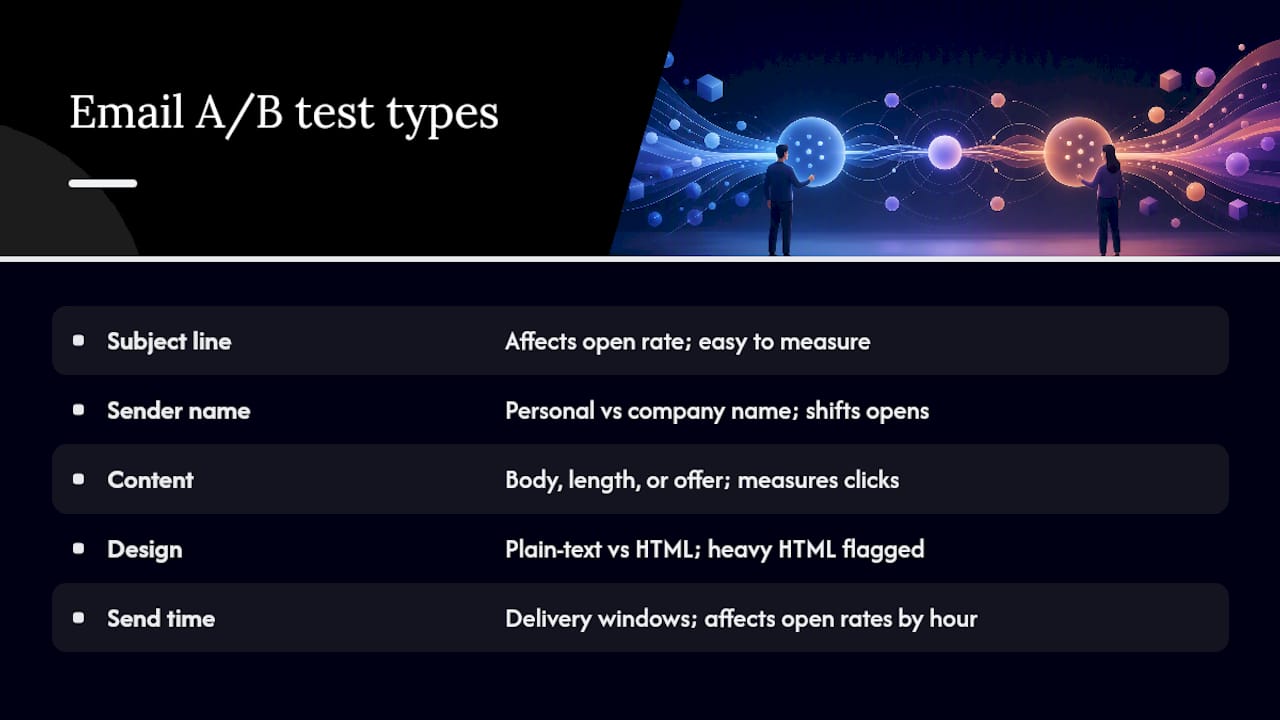
Even though this guide centers on landing pages, most SMB teams eventually run parallel experiments on the emails that drive traffic to those pages, and it's worth knowing the landscape. Email A/B tests typically fall into five categories, each isolating a different lever in the funnel.
Subject line tests are the most common starting point, since open rate is easy to measure and subject lines have an outsized effect on it. Sender name tests compare a personal name against a company name, which can shift open rates meaningfully depending on how recognizable your brand already is to the recipient. Content tests vary body copy, length, or the offer itself, measuring click-through rather than opens. Design tests compare plain-text-style layouts against heavily designed HTML templates, since simpler formatting sometimes outperforms polished design in inbox environments that flag heavy HTML as promotional. Send-time tests compare delivery windows, since the same email sent at 6 a.m. and at 2 p.m. can produce meaningfully different open rates depending on your audience's habits.
The discipline that applies to landing pages applies here too: change one variable per test, and don't run a subject line test and a send time test on the same email at the same moment. Isolating variables is what turns a guess into a finding you can actually act on next quarter.
How Should You Segment Your List for More Relevant Tests?
Testing the same variant against your entire list flattens out real differences between subgroups, and you lose the chance to learn what actually moves each one.
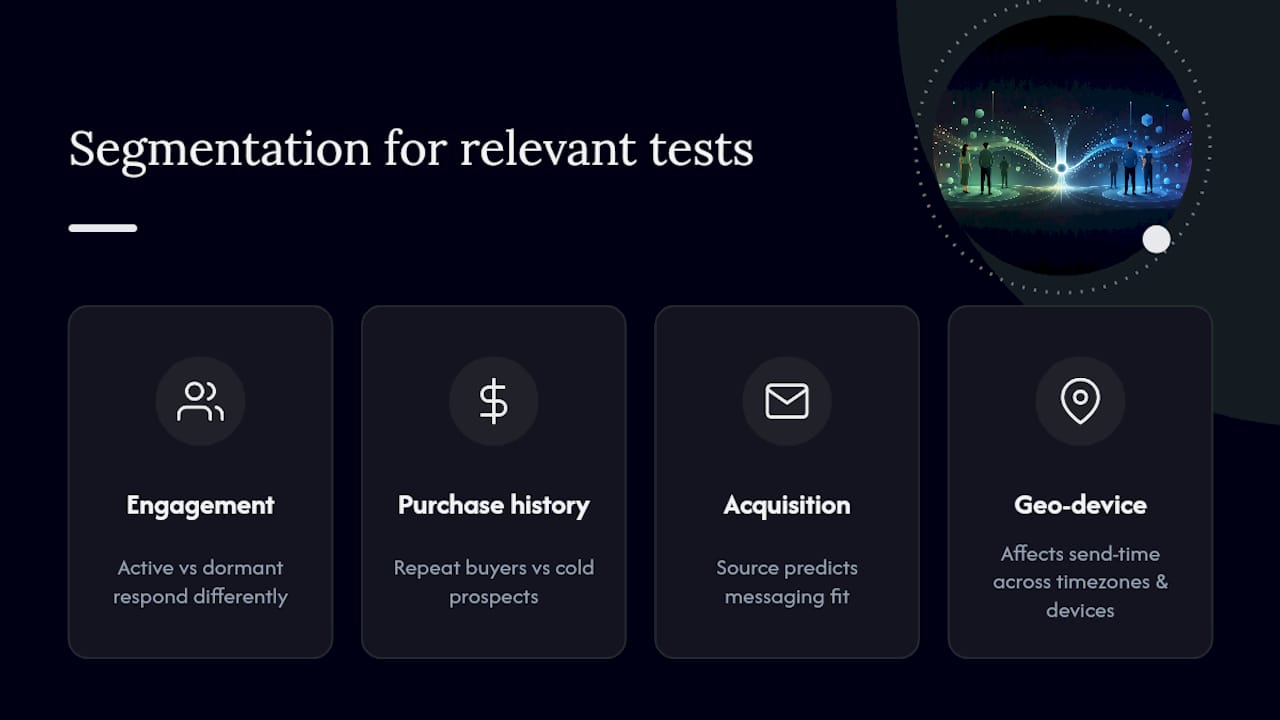
Segmenting by engagement level is the highest-leverage split for most SMB lists: highly active subscribers respond differently to urgency-driven subject lines than dormant contacts who need a re-engagement angle first. Segmenting by purchase history lets you test offer-driven content against repeat buyers separately from cold prospects who've never converted. Segmenting by acquisition source, whether someone joined through a lead magnet, a webinar, or a checkout opt-in, often reveals that the messaging that worked to acquire them is exactly the messaging that keeps them engaged.
Geographic and device-based segmentation matter too, particularly for send-time tests, since a single send-time winner rarely holds across time zones or between mobile-dominant and desktop-dominant segments. The tighter your segment, the more confidently you can act on a result, but tighter segments also mean smaller sample sizes, so there's a real trade-off between relevance and how fast you reach a valid read.
What Tools Do Teams Use for Email A/B Testing?
Most major email service providers, including Mailchimp, Klaviyo, and HubSpot, build subject-line and content A/B testing directly into their send flow, letting you split a portion of your list automatically and route the rest to whichever variant performs best within a set window. That built-in simplicity is exactly why teams often start there before reaching for anything more specialized.
Heavier testing programs sometimes add dedicated deliverability and inbox-placement monitoring tools on top of their ESP, since a subject line can win on open rate while quietly damaging sender reputation if it triggers spam complaints. If your workflow already spans landing pages and email, it's worth checking how your email testing setup lines up with your broader experimentation stack, since a subject line test that drives traffic to an untested landing page only tells you half the story.
The right tool depends less on feature count and more on how cleanly it integrates with the list segmentation you're already relying on, since a testing tool that can't talk to your CRM segments will always feel bolted on rather than built in.
Why Does List Cleanliness Matter Before You Test?
A dirty list doesn't just waste sends. It actively corrupts your test results, because spam traps, bounced addresses, and long-dormant contacts don't behave like real recipients, and they dilute whatever signal your subject line or content change is actually producing.
Run a list cleaning pass before any major test: remove hard bounces immediately, and suppress addresses that haven't opened or clicked in six to twelve months into a separate re-engagement track rather than testing your best content against them. Double opt-in lists, where a subscriber confirms their email before joining, produce far more reliable test data than single opt-in lists, because every recipient has actively demonstrated intent to receive your mail.
Keep your list segmented by recency of engagement on an ongoing basis, not just before a big test. A list that's cleaned once a year and left alone the rest of the time will have drifted back toward stale addresses by the time your next test matters.
How Do Deliverability and Engagement Metrics Change What a Result Means?
A subject line that "wins" your A/B test on open rate isn't actually a win if it won by triggering spam filters that suppressed the losing variant's delivery instead. Deliverability context has to sit alongside your raw conversion numbers, or you'll draw the wrong conclusion from a clean-looking result.
Check your inbox placement rate and spam complaint rate for both variants before declaring a winner. A variant with a slightly lower open rate but a meaningfully lower complaint rate is often the better long-term choice, since spam complaints damage your sender reputation and depress deliverability for every future send. Unsubscribe rate matters the same way. A content variant that boosts short-term clicks while spiking unsubscribes is trading future reach for a one-time bump.
Read click-to-open rate alongside raw open rate, too. A high open rate paired with a low click-to-open rate usually means your subject line over-promised relative to the content, which is a signal to test alignment between subject and body next, not just to keep chasing higher opens in isolation.
What Actually Moves the Needle for a Compact Team?
Most advice on this topic overweights sophistication and underweights speed. The conventional wisdom pushes SMB teams toward the same tooling and rigor that enterprise growth teams use, and that's mostly wrong for a team without a dedicated analyst. What actually matters is running more tests, faster, on cleaner hypotheses, not running fewer tests with heavier statistical machinery.
A no-code visual editor isn't a shortcut that sacrifices rigor. It's what makes the one-variable discipline sustainable, because a marketer who can ship a variant in fifteen minutes will actually run the test instead of putting it in an engineering backlog that never clears. A lightweight script matters for the same reason people underrate it: a slow test page contaminates its own results, since page speed itself affects conversion.
If you take one thing from this: prioritize your test backlog by what real visitors are getting stuck on, not by what looks interesting in a meeting. The teams that win consistently aren't smarter about statistics. They're just running more well-formed tests per quarter than everyone else.
Try Stellar's No-Code Workflow for Your Next Test
Everything in this quick-start checklist maps directly to how Stellar is built. The no-code visual editor lets you clone a page and change one element without touching a developer's queue, advanced goal tracking wires your primary conversion event without custom scripting, and dynamic keyword insertion lets you personalize landing pages by traffic source without building separate templates for each campaign.

The script itself runs at 5.4KB, built specifically so testing doesn't become the thing that slows your page down. If your site sees under 25,000 monthly tracked users, Stellar's free plan lets you run this entire workflow, hypothesis, variant, tracking, and analysis, at no cost. Set up your first test today and see whether your current headline is actually your best one.
Frequently Asked Questions
What is email a b testing in the context of website optimization? It refers to A/B testing landing pages and web pages, splitting traffic between a control and a variant using a no-code visual editor and a lightweight tracking script, rather than testing email campaign elements.
How long should an A/B test run? Run it until you hit your predetermined sample size, with two weeks as a practical minimum to account for weekly business cycles and reduce novelty effects skewing early results.
What's the biggest mistake teams make when a/b testing emails? Testing multiple elements simultaneously and stopping the moment a variant pulls ahead, both of which make it impossible to know what caused the change or whether the result will hold.
How do I know if my A/B testing tool is set up correctly? Run an A/A test comparing two identical pages first. If it reports a winner, your tracking setup has a problem that needs fixing before you trust any real test.
Can I test more than one variable at once? You can with multivariate testing, but it requires significantly more traffic to reach a valid read, since each combination of elements needs its own adequate sample. For most SMB traffic levels, standard single-variable A/B testing gets you a trustworthy answer faster.
Sources
Recommended
Published: 8/21/2026