
Browser Testing Online: A 2026 Guide for Developers
TL;DR:
- Online browser testing enables web developers and QA professionals to verify website functionality and visual consistency across multiple browsers, devices, and operating systems using scalable cloud platforms. Prioritizing top user configurations and combining automated with live testing improves efficiency, root cause diagnosis, and coverage of responsive design issues. Focusing on the most relevant browser combinations and incorporating side-by-side mobile viewport testing ensures high-quality user experiences and faster bug resolution.
Browser testing online is the practice of verifying your website's functionality and visual consistency across multiple browsers, operating systems, and devices using cloud-based platforms rather than locally maintained test machines. For web developers and QA professionals in 2026, this approach replaces the old nightmare of maintaining a lab full of physical devices and browser installs. Platforms like Sauce Labs, TestMu AI (formerly LambdaTest), and BrowserStack now give you cross-browser testing at scale, covering thousands of browser and OS combinations from a single dashboard. The core problem these tools solve is real: browser engine differences between Chromium, Firefox, and WebKit produce inconsistent rendering and behavior that breaks user experience in ways your local setup will never catch.
What tools and platforms enable browser testing online?
The market for online cross-browser testing platforms has matured significantly, and the differences between tools now come down to coverage depth, automation support, and responsive testing features.

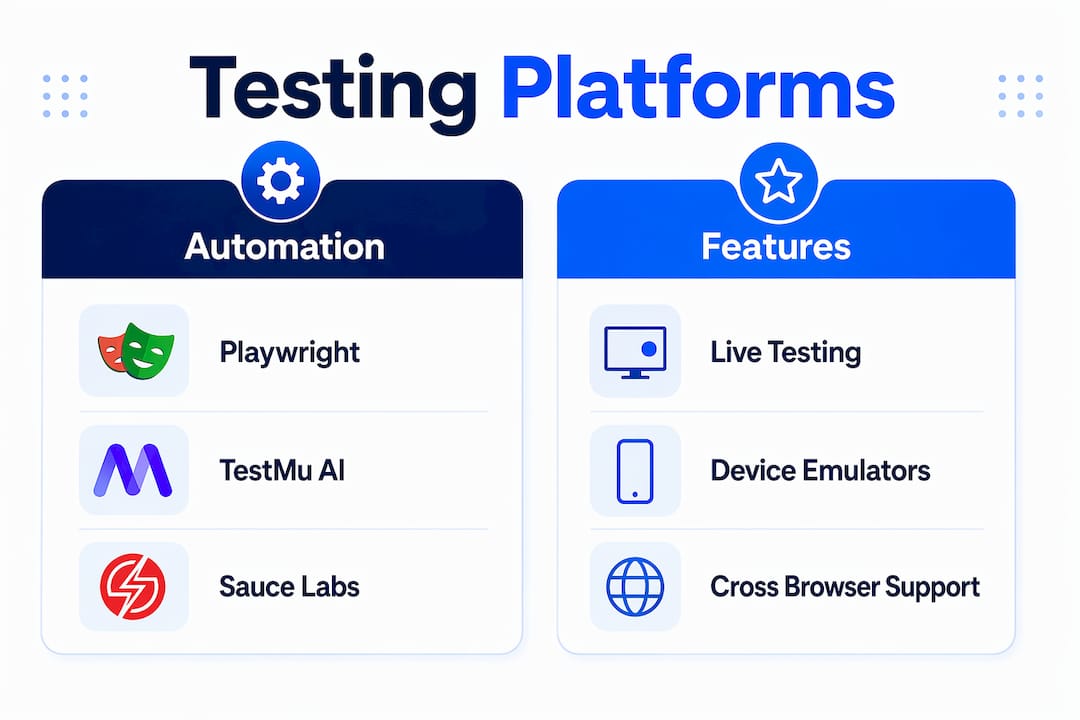
Sauce Labs supports over 700 browser and OS combinations, with 172 device emulators and more than 300 real devices. That coverage means you can run parallel test execution across configurations that would take weeks to replicate locally. Sauce Labs also separates live interactive testing from scripted automated runs, which matters when you need to debug a rendering issue in real time versus running a regression suite overnight.
TestMu AI takes a different angle on scale. The platform offers web-based testing across 3,000+ real browsers and operating systems, with both automated Selenium grid tests and live interactive sessions. Its LT Browser tool adds a layer that most platforms skip: side-by-side device viewports across 50+ device sizes simultaneously. Instead of switching between devices one at a time, you see how your layout breaks on an iPhone 14 and a Galaxy S23 at the same moment.
Playwright rounds out the automation side. It supports multi-engine cross-browser testing across Chromium, Firefox, and WebKit through a single API, which means your test scripts run against Safari and iOS without maintaining separate test suites. This is the framework of choice when you want code-level control over browser behavior rather than a GUI-driven approach.
Here is a quick comparison of the three primary platforms:
| Platform | Browser/Device Coverage | Automation Support | Live Testing | Responsive Testing |
|---|---|---|---|---|
| Sauce Labs | 700+ browser/OS combos, 300+ real devices | Selenium, Playwright, Cypress | Yes | Yes |
| TestMu AI | 3,000+ browsers and OS | Selenium Grid, Playwright | Yes | LT Browser (50+ viewports) |
| Playwright | Chromium, Firefox, WebKit | Native API | No | Via scripting |
Pro Tip: If your team runs both manual QA and automated regression, choose a platform that supports both modes natively. Switching tools mid-workflow adds friction and breaks your reporting chain.
How to set up browser testing online before you write a single test
Setup decisions made before you write your first test determine whether your testing effort produces useful results or just noise. The planning phase is where most teams underinvest.
-
Define your browser coverage matrix. List every browser, version, operating system, and device type your actual users run. Pull this from your analytics tool. Testing Chrome 120 on Windows 11 matters more than testing an obscure browser with 0.1% market share. Tricentis recommends documenting this scope explicitly before designing any test cases.
-
Set clear test goals. Separate functional goals (does the checkout flow complete without errors?) from UI consistency goals (does the layout render correctly on a 375px viewport?). These require different test types and different tools.
-
Choose your testing mode. Automated scripted tests work for regression coverage and CI/CD pipelines. Live interactive sessions work for debugging specific rendering issues or verifying a fix before merging. Most professional workflows use both.
-
Prepare test cases for critical user flows. Focus on paths that directly affect conversion or core functionality: login, checkout, form submission, navigation. These are the flows where a broken layout costs you the most.
-
Create accounts and configure integrations. Connect your chosen platform to your CI/CD pipeline (GitHub Actions, Jenkins, CircleCI) or your IDE. Most platforms provide ready-made integrations. Setting this up before you write tests means results flow automatically into your existing workflow rather than sitting in a separate dashboard nobody checks.
Cloud-based platforms remove one major setup burden entirely. Vendor-maintained infrastructure means you always test against the latest browser versions without manually updating local installs. That alone saves hours per sprint for teams running frequent releases.
Step-by-step process for running automated and live browser tests
With your matrix defined and your platform configured, the actual execution follows a repeatable workflow.
-
Write your automated test scripts. Use Selenium or Playwright to script critical user flows. Playwright's single API covers Chromium, Firefox, and WebKit, so one script tests three browser engines. Keep scripts modular so you can swap browser targets without rewriting logic.
-
Run tests in parallel across your coverage matrix. Parallel execution is the primary speed advantage of cloud testing platforms. A test suite that takes 45 minutes running sequentially can complete in under 10 minutes when distributed across browser and OS combinations simultaneously.
-
Use live interactive testing for debugging. When an automated test flags a failure, switch to a live session on the same browser and OS combination. Live testing complements automation by letting you inspect elements, run DevTools, and reproduce the exact failure state interactively. This is where you find root causes, not just symptoms.
-
Run responsive testing with side-by-side viewports. Load your pages in LT Browser or an equivalent tool and compare layouts across multiple device sizes at once. Side-by-side responsive testing reduces iteration time compared to switching devices one at a time, because you see breakpoint failures the moment they appear.
-
Capture screenshots and record sessions. Most platforms generate screenshots at each test step and allow full session recording. These artifacts are the difference between filing a vague bug report and giving a developer an exact reproduction path.
-
Analyze results and push fixes. Review failures by browser and OS to identify patterns. A layout issue appearing only in WebKit points to a CSS property with inconsistent support. Fix it, re-run the affected subset of your matrix, and merge only when the targeted browsers pass.
Pro Tip: Place your assertions after navigation events in Playwright, especially for WebKit. WebKit's stateful behavior after page navigation causes false negatives when assertions fire before the browser finishes processing the new state.
Common challenges in cross-browser testing and how to fix them
Even with the right platform and a solid workflow, specific problems appear repeatedly in cross-browser testing. Knowing them in advance cuts your debugging time significantly.
-
Flaky tests from browser engine differences. WebKit handles certain CSS properties and JavaScript events differently than Chromium. A test that passes reliably in Chrome may fail intermittently in Safari due to WebKit's post-navigation state. The fix is precise assertion placement and explicit waits rather than time-based delays.
-
Coverage matrix bloat. Testing every possible browser and version combination is not practical or useful. Prioritize the top browsers and devices your analytics show, then add edge cases only when user complaints or business requirements justify them. Defining scope upfront is the single most effective way to keep testing effort proportional to risk.
-
Underestimating responsive testing. Developers often test desktop layouts thoroughly and treat mobile as an afterthought. Mobile traffic now exceeds desktop on most consumer-facing sites, so a broken layout at 375px is a high-severity bug regardless of how clean the desktop version looks.
-
Stale test environments. Locally maintained browser installs drift out of date quickly. Cloud platforms solve this directly. As Sauce Labs puts it:
Cloud-based testing platforms maintain up-to-date infrastructure, latest browsers, and OS versions so teams can focus on testing rather than maintaining environments.
- Cost and session limits. Online testing platforms charge by the minute or by concurrent sessions. Unoptimized test suites that run redundant checks burn through your allocation fast. Audit your test suite quarterly and remove tests that duplicate coverage or test configurations outside your defined matrix.
Cross-browser testing must address both functional correctness and visual consistency because browser engine differences affect both behavior and appearance. Treating them as the same problem leads to gaps in coverage.
Key takeaways
Effective browser testing online requires a defined coverage matrix, the right mix of automated and live testing, and cloud platforms that scale across thousands of browser and device combinations.
| Point | Details |
|---|---|
| Define your coverage matrix first | List browsers, OS versions, and devices your actual users run before writing any tests. |
| Use parallel execution for speed | Cloud platforms like Sauce Labs and TestMu AI cut test suite runtime dramatically through parallel runs. |
| Combine automation with live testing | Automated scripts catch regressions; live sessions diagnose root causes interactively. |
| Prioritize responsive testing | Side-by-side viewport tools like LT Browser surface mobile layout failures faster than sequential device checks. |
| Handle WebKit assertions carefully | Place Playwright assertions after navigation events to avoid false negatives in Safari and iOS testing. |
Why I think most teams are testing the wrong browsers
After years of watching QA workflows up close, the most common mistake I see is not a tooling problem. It is a scope problem. Teams spend weeks configuring Selenium grids and setting up Playwright pipelines, then run their entire test suite against every browser combination they can think of. The result is a slow, expensive test run that flags dozens of issues in browsers that represent less than 2% of their actual traffic.
The teams that get the most value from online cross-browser testing do the opposite. They pull their real browser distribution from Google Analytics or a similar tool, build a tight coverage matrix around the top five or six configurations, and run everything else only on a monthly basis. That discipline cuts test time and focuses developer attention on failures that actually affect users.
I also think the industry undersells live interactive testing. Automated tests tell you something broke. Live sessions tell you why. The combination of running a Playwright suite overnight and then spending 20 minutes in a live Sauce Labs session the next morning is more productive than any purely automated workflow I have seen. You find the root cause faster, write a better fix, and build a better regression test from the observed behavior.
The other thing worth saying plainly: responsive testing is not optional in 2026. If your QA process does not include side-by-side device comparison as a standard step, you are shipping mobile bugs that your desktop-focused test suite will never catch. Tools like LT Browser make this fast enough that there is no reasonable excuse to skip it.
— Juan
Take your web testing further with Gostellar

Browser compatibility testing is one layer of a broader web optimization strategy. Gostellar's platform connects the testing work you do in tools like Sauce Labs and TestMu AI to the experimentation layer where those fixes get validated against real user behavior. With Gostellar's no-code visual editor, real-time analytics, and A/B testing capabilities, you can verify that a cross-browser fix actually improves conversion rates, not just technical pass rates. The platform's 5.4KB script adds no meaningful load overhead, so your performance scores stay clean while you run experiments. If you are a developer or QA professional who wants to close the loop between compatibility testing and measurable user experience outcomes, explore Gostellar and see how it fits your workflow.
FAQ
What is browser testing online?
Browser testing online is the process of verifying a website's functionality and appearance across multiple browsers, operating systems, and devices using cloud-based platforms. Tools like Sauce Labs, TestMu AI, and Playwright replace locally maintained test environments with scalable cloud infrastructure.
How many browsers should I include in my test matrix?
Focus on the browsers and devices your actual users run, typically the top five or six configurations from your analytics data. Tricentis recommends defining a documented scope rather than testing every possible combination, which wastes time on low-traffic configurations.
What is the difference between automated and live browser testing?
Automated browser testing runs scripted test cases across browser configurations without human input, ideal for regression coverage in CI/CD pipelines. Live interactive testing lets you manually interact with a browser session in real time, which is the most effective method for diagnosing root causes of failures flagged by automated runs.
Why do tests fail in Safari but pass in Chrome?
Safari uses the WebKit engine, which handles certain CSS properties and JavaScript events differently than Chromium. In Playwright specifically, WebKit's post-navigation behavior can cause test failures if assertions are placed before the browser finishes processing the new page state.
Can I run browser testing online for mobile devices?
Yes. Platforms like TestMu AI provide access to 3,000+ real browsers and OS combinations including mobile configurations, and LT Browser supports responsive testing across 50+ device viewports simultaneously, making mobile browser compatibility testing a standard part of any online testing workflow.
Recommended
Published: 6/3/2026