
Google Optimizely: the growth pro's guide to A/B testing
TL;DR:
- Most marketing teams confuse Google Optimize with Optimizely, not realizing they are separate tools with different features. Optimizely offers automated GA4 audience creation and event forwarding, reducing manual effort and improving data accuracy for experimentation. Enhancing segmentation and reporting, these integrations enable faster insights and streamline website testing workflows.
Most marketing teams searching "google optimizely" are actually looking at two distinct tools and not realizing it. Google Optimize (now sunset) and Optimizely are separate platforms with very different approaches to experimentation, data management, and Google Analytics integration. Treating them as interchangeable has real consequences: wasted setup time, broken data pipelines, and experiments that generate noise instead of insight. If you are running A/B tests or planning to, understanding where these tools diverge, especially around GA4, will directly affect how useful your results are.
Table of Contents
- Understanding Google Optimize: features and native Google Analytics integration
- Exploring Optimizely Web Experimentation and its advanced GA4 integration
- Google Optimize vs Optimizely: comparing testing features and GA4 data handling
- Implementing Google Optimize and Optimizely: practical tips for marketers and entrepreneurs
- Why a GA4-centric approach to experimentation data is a game changer
- Optimize your experimentation with Stellar's expert solutions
- Frequently asked questions
Key Takeaways
| Point | Details |
|---|---|
| Google Optimize simplicity | Google Optimize provides free, user-friendly A/B testing integrated natively with Google Analytics for baseline website experimentation. |
| Optimizely GA4 integration | Optimizely offers advanced, automated GA4 audience creation and segmentation for deeper analysis and efficient reporting. |
| GTM event forwarding | Forwarding GA4 events to Optimizely via Google Tag Manager avoids duplicate tracking and maintains cleaner data pipelines. |
| Audience automation advantage | Automated GA4 audiences per experiment variation significantly reduce manual segmentation workload for marketing teams. |
| Practical setup tips | Align event naming and verify tracking configurations to ensure consistent, reliable experiment data collection and reporting. |
Understanding Google Optimize: features and native Google Analytics integration
Google Optimize was built as an accessible entry point into website experimentation. Google Optimize was designed to run A/B and multivariate tests natively integrated with Google Analytics, helping teams identify which experiences best engage visitors. That tight coupling with Google Analytics was its biggest selling point for small teams without dedicated engineering resources.
Here is what Google Optimize brought to the table:
- A/B testing to compare two versions of a page and measure which performs better against defined goals
- Multivariate testing to test multiple page element combinations simultaneously
- Redirect tests to compare entirely different page URLs
- Native Google Analytics reporting so experiment data flowed directly into familiar dashboards
- Free access with no cost barrier for businesses starting out
Setup required installing the Google Optimize snippet on your site alongside your Google Analytics tag. One practical note: using the asynchronous loading option reduced the risk of the snippet blocking page rendering, which matters when even a 100ms delay can hurt user experience. The full breakdown of Google Optimize covers this setup in detail for anyone who ran campaigns on it before its deprecation.
The core limitation was depth. Google Optimize's Google Analytics integration was useful for basic reporting, but it did not automate audience creation per variation or handle the kind of segmentation that modern GA4 workflows demand. That gap matters more now than ever.
Exploring Optimizely Web Experimentation and its advanced GA4 integration
Optimizely takes a fundamentally different approach to connecting experimentation data with analytics. The platform's GA4 integration auto-generates audiences for each experiment variation using a built-in toggle or Google Tag Manager, and it updates those audiences daily. That means the moment you launch a test, GA4 is already segmenting your users by variation without you manually building any audience rules.
Key capabilities in Optimizely's GA4 integration include:
- Automatic audience creation per experiment variation, updated every 24 hours
- GTM-based event forwarding that routes GA4 events into Optimizely without creating duplicate data
- Custom dimension support for richer experiment reporting inside GA4
- Unified analytics pipelines that reduce the number of manual tracking configurations your team maintains
The event forwarding piece is worth focusing on. Using GTM to forward GA4 events to Optimizely Web is the recommended method because it avoids the duplicate tracking problem that plagues manual setups. Without it, teams often end up counting the same event twice: once in GA4 and once in Optimizely's results dashboard. That inflates metrics and makes your significance calculations unreliable.
Pro Tip: Before enabling the GA4 integration toggle in Optimizely, audit your existing GTM container for any conflicting Optimizely tags. Conflicts between a legacy custom HTML tag and the new integration trigger are one of the most common reasons teams see duplicated experiment data on day one.
If you are looking to run no-code A/B tests with Optimizely, the visual editor and audience automation together remove most of the technical friction that used to require developer involvement.

Google Optimize vs Optimizely: comparing testing features and GA4 data handling
Now that you understand each tool's approach, here is a direct comparison across the dimensions that matter most for small to medium marketing teams.
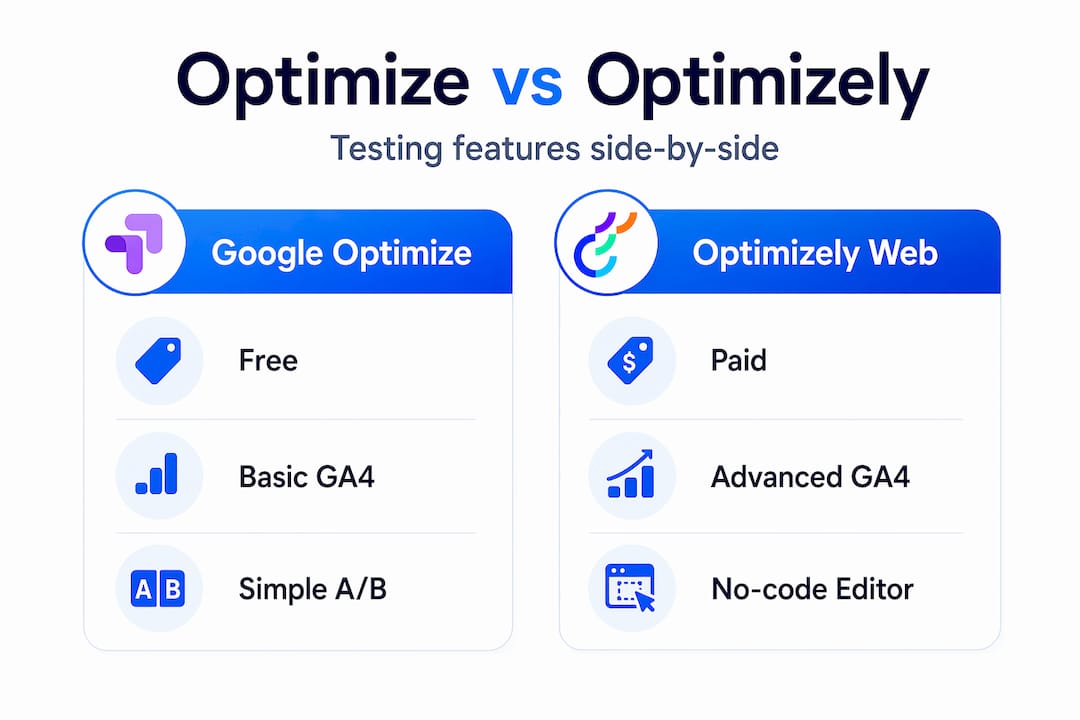
| Feature | Google Optimize | Optimizely Web |
|---|---|---|
| A/B testing | Yes | Yes |
| Multivariate testing | Yes | Yes |
| Native GA integration | Google Analytics (UA) | Google Analytics 4 (GA4) |
| Auto-audience creation per variation | No | Yes, updated daily |
| GTM-based event forwarding | No | Yes |
| Duplicate tracking prevention | Manual effort required | Built into GTM integration |
| Free tier | Yes (now sunset) | Paid plans only |
| No-code visual editor | Basic | Advanced |
The table highlights the practical gap. For growth teams evaluating both platforms, the real decision point is not feature parity on basic testing. It is how deeply experiment data flows into GA4 reports and segmentation.
Where this bites teams in practice:
- Manual segmentation overhead: Without auto-audience creation, you are building GA4 audience conditions by hand for every test. At two to three tests running simultaneously, this becomes a significant time drain.
- Reporting consistency: When audiences are not tied directly to variation assignment, you get bleed between segments, users counted in multiple buckets, and metrics that do not tell a clean story.
- Pipeline maintenance: Every manual step in a data pipeline is a potential break point. Optimizely's automated approach removes several of those failure points compared to older setups.
For a broader look at how these platforms stack up against other testing tools on the market, the Google Optimize alternatives guide is a useful reference, especially if you are still evaluating options.
Implementing Google Optimize and Optimizely: practical tips for marketers and entrepreneurs
Setup is where good strategy meets reality. Both platforms can be configured quickly, but the details around event tracking and audience consistency determine whether your data is actually trustworthy.
Here is a practical implementation checklist:
- Use GTM as your central tracking hub. Route all experiment-related events through Google Tag Manager rather than hardcoding them. This keeps your tracking auditable and editable without developer deployments.
- Align event names across GA4 and Optimizely. You must create matching Optimizely custom events that correspond to your GA4 event names. A mismatch means Optimizely does not recognize the event, and your experiment goals go unmeasured.
- Enable anti-flicker snippets in Google Optimize. If you are working with legacy Optimize setups or reviewing past configurations, the anti-flicker snippet prevents the original page from flashing briefly before the test variant loads. Without it, users notice the swap, which affects behavior and skews your results.
- Verify GA4 audiences are updating daily. Optimizely's GA4 integration automates audience creation and updates, but your first week of a new experiment should include a daily check that audiences are populating correctly in the GA4 interface.
- Run QA before launch. Preview your experiment in an incognito window, confirm variation assignment, and fire a test conversion event. Check both GA4 DebugView and Optimizely's results dashboard to confirm data appears in both places before you go live.
Pro Tip: Set a naming convention for your GA4 custom events at the project level, not the experiment level. Something like "exp_[test_id]_[goal_name]` keeps your event catalog readable six months later when someone asks what "button_click_v2_final" was actually tracking.
Measuring whether an experiment actually moved the needle also depends on having solid baseline website success metrics defined before you start. Experiment platforms report what you tell them to measure. If your KPIs are fuzzy, your results will be too. For a deeper look at A/B testing techniques that drive results, the execution details make a bigger difference than most teams expect.
Why a GA4-centric approach to experimentation data is a game changer
Here is the part most articles skip: the real value of Optimizely's GA4 integration is not the feature itself. It is what it removes from your workflow.
Marketing teams at growing companies do not fail at experimentation because they lack ideas or traffic. They fail because the operational overhead of managing data pipelines, building audience segments, and reconciling experiment reports across tools consumes the time that should go into analysis and iteration. Teams often underestimate the impact of auto-created GA4 audiences that update daily, because on day one, the manual version seems manageable. By month three, when you have eight experiments in the backlog and three running simultaneously, the manual approach has quietly become a bottleneck.
Automated audience creation is not a convenience feature. It is an architectural decision that determines how fast your team can actually move. When segmentation is handled automatically, you spend your time interpreting results and forming hypotheses instead of maintaining infrastructure.
There is also a compounding effect here. Reliable, consistently structured experiment data is what lets you run proper longitudinal analysis: comparing how different user segments respond to experimentation over time, identifying which pages are consistently high-leverage, and building a real body of institutional knowledge around what works for your audience. None of that is possible when your data pipeline has manual intervention points that introduce inconsistency.
If you are evaluating no-code experimentation tools for your team, the GA4 integration depth should be near the top of your criteria list, not buried in a feature comparison spreadsheet.
Optimize your experimentation with Stellar's expert solutions
Understanding the difference between platforms is the first step. Putting that knowledge to work in a live testing program is where most small and medium teams hit friction.

Stellar is built specifically for marketers and growth teams who need fast, clean A/B testing without engineering dependencies. With a 5.4KB script that barely touches page load, a no-code visual editor, and real-time analytics, it is designed to get you from hypothesis to result in hours, not weeks. Whether you are migrating off a legacy setup or launching your first experiment, Stellar's A/B testing platform gives you the performance and simplicity that enterprise tools sacrifice in exchange for complexity. Start with the free plan and scale as your traffic grows.
Frequently asked questions
What is the primary difference between Google Optimize and Optimizely regarding Google Analytics integration?
Google Optimize was built with native Google Analytics integration for basic A/B and multivariate tests, while Optimizely provides deeper GA4 integration that automatically creates and updates audiences per experiment variation for more reliable segmentation and reporting.
Can I use Google Tag Manager to integrate GA4 events with Optimizely?
Yes, Optimizely supports forwarding GA4 events via GTM to avoid duplicate tracking and simplify event management across both platforms.
Do I need to manually create custom audience segments in GA4 when using Optimizely?
No. Optimizely automatically generates GA4 audiences for each experiment variation and updates them daily, removing the need for manual segment creation entirely.
Is Google Optimize free to use for small business website testing?
Google Optimize was Google's free tool for running A/B and multivariate website tests, though the platform has since been sunset and is no longer actively supported.
What is the recommended approach to avoid duplicate event tracking when integrating GA4 with Optimizely?
Using a GTM-based event forwarding approach is the recommended method, as it routes GA4 custom events into Optimizely Web without triggering duplicate data collection across both platforms.
Recommended
Published: 5/14/2026