
How to A/B Test Your Website: A No-Code SMB Guide
To test your website the way Google-era growth teams do, run a single hypothesis-driven split test: assign users deterministically, measure one primary metric, and ship only after your pre-registered analysis clears. That's the whole game. Here's the three-step path to get there in under 10 minutes:
- Decide your goal and write a falsifiable hypothesis before touching any page element.
- Build your control and variant inside a no-code visual editor, changing exactly one thing.
- Launch with analytics wired and run until you hit your pre-calculated sample size.
Before you launch, lock three things:
- Primary metric: the one number that decides the winner (e.g., form submission rate)
- MDE: the minimum lift that would actually be worth shipping
- Sample-size estimate: calculated from your baseline rate and MDE before the test starts
Key Takeaways
No-code A/B testing works when you lock your hypothesis, primary metric, and sample-size estimate before launch — and only ship after guardrails confirm the variant didn't break anything downstream.
| Point | Details |
|---|---|
| Write the hypothesis first | Use the formula: change → expected metric → mechanism, before touching any page element. |
| One primary metric decides | Choose your OEC before launch; guardrail metrics protect what the OEC can't see. |
| Power the test correctly | Set MDE to the smallest lift worth shipping and run for at least one full business cycle. |
| Pre-register your stopping rule | Peeking and stopping early inflates false positives; commit to the rule before launch. |
| Gostellar for no-code speed | Gostellar's 5.4KB script and visual editor let SMB teams launch tests without developer help. |
Table of Contents
- How do you run an A/B test on your website step by step?
- Which metrics should you track in an A/B test?
- How do you determine sample size and statistical significance?
- What should you look for in a no-code A/B testing tool?
- How do you monitor a live test and analyze the results?
- What mistakes break trustworthy A/B tests?
- Copyable hypothesis template and pre-launch checklist
- What actually works for SMB marketers running A/B tests
- Gostellar makes no-code A/B testing fast for SMB teams
- Sources
How do you run an A/B test on your website step by step?
A/B testing pits a control (Version A, your current page) against a variant (Version B, your changed page) on a single defined metric. The process is repeatable once you have the sequence locked.
1. Write a falsifiable hypothesis. Use this formula: "If we [change], then [metric] will [direction] because [mechanism]." Example: "If we move the CTA above the fold, form submissions will increase because visitors won't need to scroll to act." A hypothesis you can't prove wrong isn't a hypothesis.
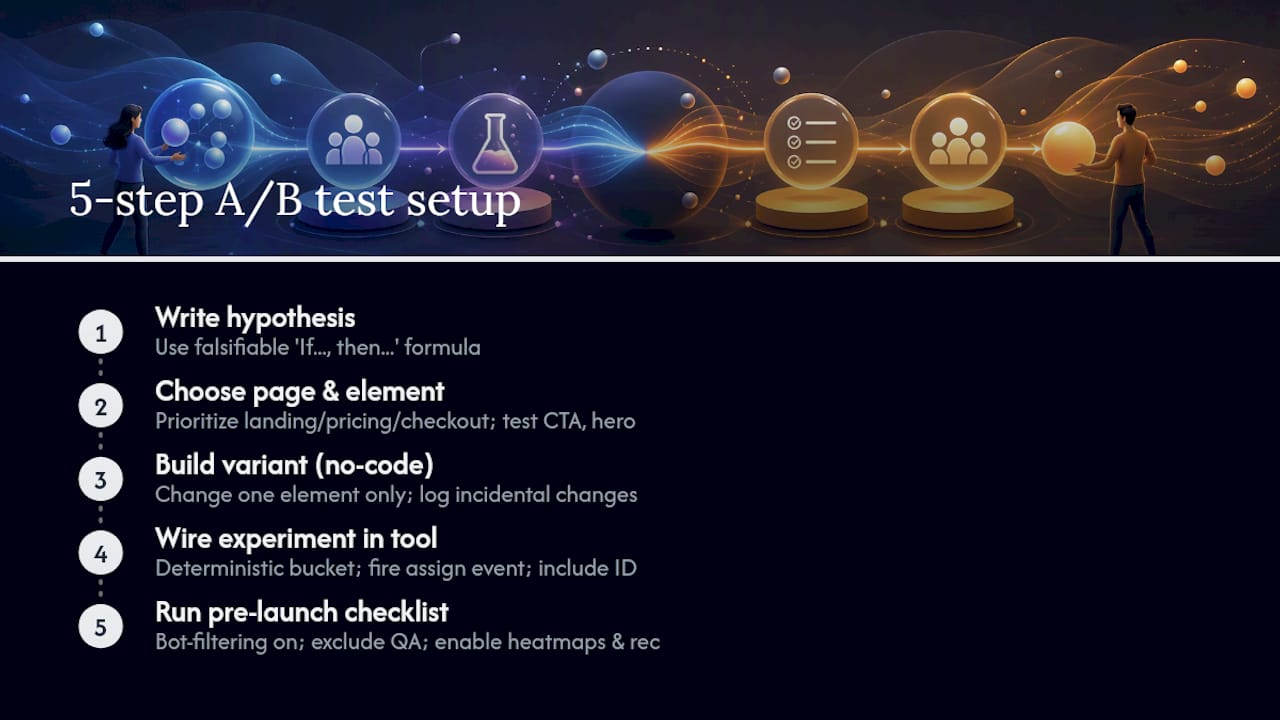
2. Choose the right page and element. Prioritize pages closest to conversion: landing pages, pricing pages, and checkout flows. Within those, test hero copy, CTA button text, form length, and proof placement first.
3. Build your variant in a no-code editor. Change one element only. Treat the test spec as a contract: if a designer tweaks the button color mid-test for unrelated reasons, the experiment is contaminated. Log every incidental change; if it touches the test element, pause and restart.
4. Wire your experiment in the A/B tool.
Set deterministic bucketing (same user always sees the same variant), fire an experiment_exposed event on assignment, and confirm your conversion event includes the experiment ID. This is what makes your data defensible.
5. Run your pre-launch checklist. Bot-filtering on, QA test accounts excluded, heatmaps and session recording enabled, monitoring dashboard live.
Pro Tip: Run only one test per user path at a time. Overlapping experiments on the same funnel create interaction effects that make both results unreadable. If you must run concurrent tests, use exclusivity controls or test on non-overlapping segments.
Which metrics should you track in an A/B test?
Pick one primary metric — your Overall Evaluation Criterion — before launch. Everything else is secondary. The OEC should be the metric that most directly reflects the business outcome you care about: form submission rate for lead gen, revenue per visitor for eCommerce, activation rate for SaaS trials.
Guardrail metrics are the things your variant must not harm:
- Page load time (a faster-converting page that slows your site is a net loss)
- Bounce rate on downstream pages
- Refund or support contact rate
- Unsubscribe rate for email-triggered flows
Secondary metrics to monitor (read as signals, not decisions):
- Click-through rate on the CTA
- Revenue per visitor
- Form abandonment rate
- Session duration
The distinction matters. If your OEC improves but bounce rate on the confirmation page spikes, you have a problem the primary metric can't see. Measuring the right KPIs from the start prevents you from shipping a local win that hurts the broader funnel.
For high-value products with long sales cycles, downstream quality metrics — activation rate, 30-day retention, average order value — often tell a truer story than immediate conversion proxies. Use proxies to move fast; validate with quality metrics before scaling.
How do you determine sample size and statistical significance?
Both matter; most SMB teams set significance and forget power entirely, which is how you end up with underpowered tests that miss real improvements.
Minimum detectable effect (MDE) is the smallest lift that would actually be worth shipping. Don't set it to whatever your calculator makes easy — set it to the smallest business-relevant improvement.
Sample size scales with your baseline conversion rate and your MDE. A lower baseline rate or a smaller MDE requires more visitors. As a practical rule: run for at least one full business cycle (typically seven days), and prefer two. Weekend behavior, email send days, and paid campaign spikes all introduce temporal bias that a single week can't smooth out.
Stopping rules matter. Pre-register yours before launch. Peeking at results and stopping early when you see a promising trend inflates your false-positive rate dramatically. If you want the option to stop early, use a pre-specified sequential testing method — don't just eyeball the dashboard.
| Decision point | Practical rule |
|---|---|
| Significance threshold | statistical significance at typical thresholds |
| Statistical power | a commonly recommended power threshold |
| Minimum run duration | One full business cycle (7 days); prefer two |
| MDE selection | Smallest lift worth shipping, not smallest detectable |
| Early stopping | Only with a pre-specified sequential method |
What should you look for in a no-code A/B testing tool?
The no-code approach lets marketers swap page blocks — headline, CTA, proof section — without engineering. The tool you choose either enables that or creates new bottlenecks.
Must-haves:
- Visual editor for variant creation (point-and-click, no code required)
- Deterministic bucketing so users see the same variant on every visit
- Lightweight client script (heavy scripts tank page speed and skew results)
- Event wiring for exposure and conversion tracking
- Goal tracking with reliable analytics export
Performance note: A/B testing scripts add load time. SEO-safe testing requires no cloaking, proper use of rel="canonical" for split-URL tests, and 302 (temporary) redirects rather than 301 (permanent) ones. A tool that handles this automatically saves you a compliance headache.
Nice-to-haves:
- Heatmaps and session replay
- Dynamic text insertion for personalized landing pages
- Campaign scheduling and rollback controls
- Team collaboration and test history
Pro Tip: Before committing to a tool, check the actual script size in your browser's network tab. Vendor marketing claims and real-world payload size often diverge. A script above 20–30KB starts affecting Core Web Vitals scores in ways that contaminate your test results.
How do you monitor a live test and analyze the results?
Pre-launch QA (run this every time):
- Confirm deterministic assignment: visit the page in two browser sessions and verify each lands in the correct variant.
- Verify the
experiment_exposedevent fires on assignment. - Confirm the conversion event includes the experiment ID.
- Check the 50/50 split within 24 hours of launch.
While the test runs, watch for:
- Sample ratio mismatch (SRM): if your 50/50 split drifts to 60/40 without explanation, your assignment mechanism is broken
- Bot traffic spikes that inflate exposure counts
- Guardrail metric movement in either direction
- Seasonality flags (a campaign launch mid-test can invalidate results)
Analysis steps:
- Run an SRM check before reading any results.
- Apply your pre-registered stopping rule — don't improvise.
- Read confidence intervals against your MDE, not just the point estimate.
- Validate only segments you declared in advance; post-hoc segment fishing inflates false positives.
Decision framework: Ship if the OEC improves and guardrails are clean. Investigate if guardrails move negatively. Retest with a refined hypothesis if results are ambiguous. Discard if the variant underperforms and the confidence interval is tight enough to rule out a meaningful effect. Pre-registering your analysis plan is what makes this framework defensible to stakeholders.
What mistakes break trustworthy A/B tests?
- Underpowered tests: Running on insufficient traffic means you'll miss real effects and occasionally ship false positives. Calculate sample size before launch, not after.
- Peeking and stopping early: Every time you check results and consider stopping, you inflate your false-positive rate. Commit to your stopping rule.
- Variant drift: A designer tweaks the button color mid-test for an unrelated campaign. Now you're testing two things. Treat the spec as a contract and log every change.
- Overlapping experiments: Two tests on the same user path create interaction effects. Use exclusivity controls or test on non-overlapping segments.
- Misreading secondary metrics: A lift in CTR with no movement in OEC is not a win. Secondary metrics inform; they don't decide.
- Bot and campaign spikes: A paid campaign launch mid-test floods one variant with non-representative traffic. Monitor exposure counts daily.
Pro Tip: Keep a common A/B testing mistakes reference open during test design. Most errors are made before launch, not during analysis.
Copyable hypothesis template and pre-launch checklist
Hypothesis template: "If we [specific change] on [page/element], then [primary metric] will [increase/decrease] because [mechanism]."
Example: "If we add a customer testimonial directly above the CTA on the pricing page, form submissions will increase because social proof reduces hesitation at the decision point."
Pre-launch checklist:
- Enrollment criteria defined (which users qualify)
- Deterministic assignment confirmed
- Event names documented (
experiment_exposed,form_submitted) - Bot filters active
- QA accounts excluded
- Monitoring dashboard live with guardrail alerts set
Post-test checklist:
- SRM check passed
- Confidence interval reviewed against MDE
- Guardrail metrics verified clean
- Rollout plan documented with a guardrail period (monitor for 1–2 weeks post-ship)
Quick example test case (copy this): Page: Pricing landing page. Element: CTA button copy. Control: "Get Started." Variant: "Start My Free Trial." Primary metric: trial sign-up rate. Guardrails: page load time, bounce rate. Run duration: 14 days.
What actually works for SMB marketers running A/B tests
Most small teams over-invest in microcopy tweaks and under-invest in structural changes. Swapping "Submit" for "Get My Results" is a fine test, but moving your proof block above the CTA — or cutting your form from six fields to three — tends to move the needle harder. Social proof placement and testimonial specificity consistently outperform small copy changes in directional impact.
Start with funnel proximity. The closer a page element is to the conversion event, the more a change there will affect your OEC. That's why CTA testing and form simplification belong at the top of any SMB test backlog, ahead of hero image swaps or navigation experiments.
For teams with limited traffic, don't force statistical certainty on a single underpowered test. Accumulate directional evidence across launches.
When a test requires a backend change, a pricing restructure, or a fundamentally new page layout, escalate to product or engineering.
Gostellar makes no-code A/B testing fast for SMB teams
Running reliable split tests without a developer used to mean expensive enterprise platforms or months of engineering time. Gostellar cuts that to minutes.

The platform's 5.4KB script is light enough that it won't move your page speed scores, and the no-code visual editor lets you build and launch a variant without touching code. Advanced goal tracking wires your conversion events automatically, and real-time analytics surface results as they come in — no waiting for a weekly export. There's a free plan for sites under 25,000 monthly tracked users, so you can run your first test before committing to a paid tier.
Getting started takes three steps: sign up at Gostellar, install the 5.4KB script on your site, and create your first variant in the visual editor. Your first test can be live today.
Sources
- How to A/B Test a Website | HubSpot Blog
- How to Design an A/B Test in 2026 - A Complete Framework | ABTesting
- A/B Test Experiment Design Guide — Reliable Results From Day One
- Website A/B Testing: 7-Step Framework for eCommerce - scandiweb
- A/B Testing Playbook for Creators Without Code
Recommended
Published: 8/11/2026