
Practical Guide to Earning Money by Testing Websites
TL;DR:
- Paid website testing involves real users providing feedback through no-code platforms, improving website insights.
- It helps SMB marketers quickly identify why users abandon or engage, complementing traditional analytics.
- Running simple, targeted tests fosters faster website improvements without technical support or lengthy delays.
Most marketers assume website optimization is a solo game: set up analytics, watch the numbers, and tweak based on what the data says. But there's a faster, more human-driven approach that pays users real money to help SMBs improve their sites. Paid website testing connects everyday people with businesses that need real feedback on their pages, checkout flows, and landing page variants. The result is better data for marketers and cash in testers' pockets. This guide breaks down how the whole system works, which platforms deliver the most value, and how you can run your first no-code paid test without touching a single line of code.
Table of Contents
- How paid website testing works for SMB marketers
- Choosing the best platform: A comparison for marketers and testers
- Why no-code paid A/B testing beats relying on analytics alone
- How to run your first paid website test: Step-by-step guide
- Our perspective: What most SMB marketers and testers get wrong about paid website testing
- Ready to transform your website testing? Take the next step
- Frequently asked questions
Key Takeaways
| Point | Details |
|---|---|
| Real earnings opportunity | Website testers can earn from $5 up to $120 per test on reputable platforms. |
| No-code for easy setup | Marketers and testers don't need technical expertise to benefit from paid user testing. |
| Human feedback matters | Human testers reveal usability obstacles analytics alone cannot identify. |
| Platform choice is key | Choosing the right platform ensures better feedback for marketers and higher payouts for testers. |
| Quick to launch | Both testers and marketers can be up and running with paid website tests in minutes. |
How paid website testing works for SMB marketers
Paid website testing is exactly what it sounds like. Businesses pay real users to navigate their websites, complete specific tasks, and share feedback about what works and what doesn't. For SMB marketers, this is a direct line to honest, unfiltered user behavior that no dashboard can replicate.
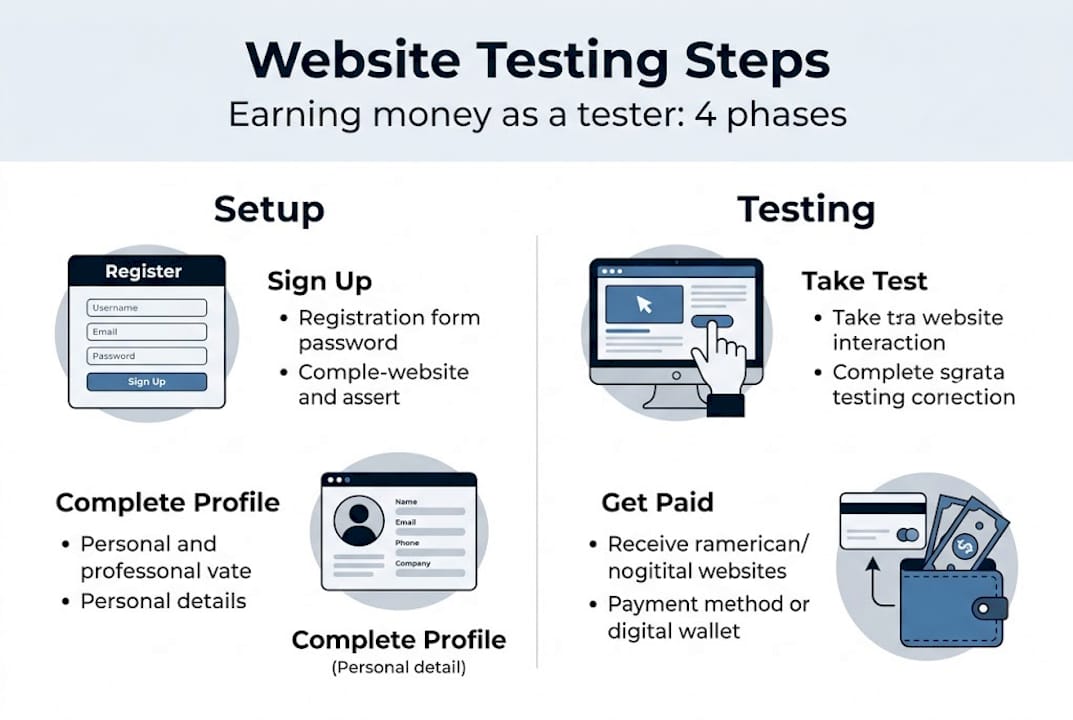
The process works in two directions. On the marketer's side, you define what you want to test, such as a headline, a button color, or an entire landing page layout. You then recruit testers through a platform, set up your tasks, and collect video recordings or written reports of real users working through your site. On the tester's side, you sign up, complete a profile, and get matched to tests that fit your demographic. You record yourself navigating the site, share your thoughts out loud, and get paid.
Platforms like UserTesting, Userlytics, and Trymata enable SMB marketers to recruit testers for no-code A/B testing and usability studies by paying everyday users $5 to $120 per test. That range reflects the depth of the session. A quick five-minute task might pay $5, while a 90-minute moderated study could pay over $100.
For marketers who want to run A/B testing without developer support, these platforms are a natural fit. You don't need to deploy code or loop in your engineering team. Most platforms offer no-code setup flows that let you define test variants, write task prompts, and set demographic filters right in the dashboard.
Here's what a standard session looks like for a tester:
- Accept a test that matches your profile and device type.
- Read the scenario provided by the marketer, such as "You are shopping for running shoes and landed on this page."
- Complete the tasks listed, like finding the return policy or adding a product to the cart.
- Record your screen and voice as you go, narrating your thoughts.
- Submit your session and receive payment, typically within a few days via PayPal.
Pro Tip: As a marketer, don't recruit the broadest possible audience. Narrow your demographic filters to match your actual customer profile. A 45-year-old suburban parent and a 22-year-old college student will interact with the same checkout page in completely different ways. The benefits of no-code testing multiply when the right people are in the testing pool.
Choosing the best platform: A comparison for marketers and testers
Understanding the testing process is step one. Now let's examine which platforms stand out for efficiency and earnings.
Not all paid testing platforms are built alike. Some favor speed and volume. Others prioritize depth, offering long-form moderated studies with screen recordings and eye-tracking data. For SMB marketers, the right platform depends on your budget, timeline, and the type of feedback you need.

| Platform | Tester payout | Session length | Best for | Setup difficulty |
|---|---|---|---|---|
| UserTesting | $4 to $120 per test | 5 to 120 minutes | Fast feedback, large tester pool | Low |
| Userlytics | $10 to $50 per study | 15 to 60 minutes | In-depth usability studies | Low to medium |
| Trymata | $5 to $30 per test | 10 to 45 minutes | Budget-friendly, quick iterations | Low |
Tester payouts vary significantly: UserTesting pays $4 to $120 per test (5 to 120 minutes), Userlytics pays $10 to $50 per study, and Trymata pays $5 to $30 per test. Keep these ranges in mind when budgeting your testing sprints.
For marketers looking at top no-code A/B testing tools, here's a quick breakdown of which platform fits which scenario:
- UserTesting is best for marketers who need fast turnaround and a large, diverse tester base. It's also the top choice for testers looking for consistent, frequent opportunities.
- Userlytics is ideal for deeper studies where you want to see how users think through a complex flow, like a multi-step checkout or an onboarding sequence.
- Trymata works best for SMBs on a tight budget who want quick, recurring feedback without a large investment per session.
Both marketers and testers should review each platform's data privacy policies before committing. Reputable platforms screen testers, anonymize session data, and follow standard data protection practices. If you're running website UI testing for SMBs, understanding how user data is stored and shared is not optional. It protects your business and builds trust with the testers whose feedback you rely on.
Why no-code paid A/B testing beats relying on analytics alone
With a clearer view of the available platforms, let's zoom out. Why do growth hackers prefer paid human testing to traditional analytics tools?
Analytics tell you what happened. A heatmap shows where users clicked. A funnel report shows where they dropped off. But none of that tells you why a user abandoned their cart on step three or why they ignored a prominent CTA button. That's the gap human testing fills.
| Metric type | Analytics alone | With paid human testing |
|---|---|---|
| Drop-off point identified | Yes | Yes |
| Reason for drop-off | No | Yes |
| Emotional response to design | No | Yes |
| Specific confusion points | Sometimes | Always |
| Time to insight | Days to weeks | 24 to 48 hours |
Consider a real scenario. An SMB e-commerce brand noticed a 40% cart abandonment rate on their shipping options page. Their analytics showed the drop-off clearly, but not the cause. After running a paid usability test with just five users, they discovered that the word "estimated" in "estimated delivery" made customers nervous about commitment. A simple copy change reduced abandonment by 18%. No engineering work required.
"For SMB growth hackers, no-code human-validated A/B tests reveal the 'why' behind metrics that analytics dashboards can never surface on their own."
Pro Tip: Use demographic filters to run tests with users who match your actual buyer personas. If 60% of your customers are women aged 30 to 50, don't recruit a general audience. The insights you get from the right group will be sharper and far more actionable than broad feedback.
Growth hackers who simplify A/B testing with no-code tools consistently report faster learning cycles. They don't wait for statistical significance on a single metric. They combine human feedback with quantitative data to make confident decisions in days rather than months. If you want to get better at reading your own site data, pairing it with human testing is the fastest path. Tools that help you check your website's performance become more powerful when you understand the human behavior driving those numbers.
How to run your first paid website test: Step-by-step guide
Knowing why human testing matters, let's lay out exactly how to set up and execute a no-code paid test.
Running your first paid test doesn't require a big budget or a technical team. You just need a clear objective, a simple variant, and a platform account. Here's how to get started:
- Define your objective. What are you trying to improve? Be specific. "Increase homepage CTA clicks" is a testable goal. "Make the site better" is not.
- Create your variants. Use a no-code visual editor to build two versions of the page you want to test. Change one element at a time: a headline, a button label, or an image.
- Write your task prompts. Tell testers exactly what to do and give them a realistic scenario. Avoid leading questions like "Do you find this button confusing?" Instead, say "Find and click the button that lets you start a free trial."
- Set your demographic filters. Choose age range, device type, location, and any relevant screener questions to ensure you get feedback from the right audience.
- Recruit your testers. Most platforms let you launch a test within minutes. For quick results, aim for five to eight testers per variant. That's enough to spot clear patterns.
- Analyze the sessions. Watch the recordings with specific questions in mind. Look for hesitation, repeated clicks, verbal confusion, or skipped sections.
- Apply and iterate. Implement the winning changes and run the next test. Quick human feedback on website variants boosts engagement and conversions without engineering resources.
Pro Tip: Avoid the two most common first-test mistakes. First, don't write ambiguous task prompts. Unclear instructions lead to useless sessions. Second, don't recruit too few testers. Five is the minimum to identify consistent patterns. Fewer than that and you're testing on noise, not signal.
If you're validating marketing ideas before a full launch, this workflow saves you from investing in changes that don't move the needle. And if you want to go deeper on methodology, reviewing A/B testing best practices will sharpen your results from the first session onward.
Our perspective: What most SMB marketers and testers get wrong about paid website testing
Here's the uncomfortable truth: most SMB marketers wait far too long before involving real users. They spend weeks fine-tuning analytics dashboards, building detailed reports, and debating internal opinions about a new design. Meanwhile, five real users could have surfaced the same insights in 48 hours for under $100.
Perfectionism kills momentum. The sites that improve fastest are not the ones with the cleanest data or the most sophisticated analytics setups. They're the ones running constant, small, human-centered tests and acting on what they learn quickly.
Testers often undersell their own impact, too. A single insight from one session can shift a conversion rate by double digits. If you notice something confusing, say so clearly. That comment might be the one that prompts a redesign that helps thousands of future visitors.
The mindset shift that matters most is this: treat testing as a habit, not a project. Marketers focused on efficient A/B testing approaches don't wait for perfect conditions. They launch, learn, and adjust. That loop, repeated consistently, is what separates growing SMBs from stagnant ones.
Ready to transform your website testing? Take the next step
Having unpacked both the practical and strategic sides of paid website testing, here's how to put these ideas into motion for your business.
If you've been sitting on the idea of running a proper A/B test, now is the time to act. The combination of no-code platforms and real human feedback removes every technical barrier that might have stopped you before. Fast setup, real tester sessions, and actionable results within 48 hours are all within reach for any SMB marketer.

GoStellar is built exactly for this moment. With a 5.4KB script that won't slow your site down, a visual no-code editor, and real-time analytics, it gives you everything you need to launch your first (or next) test today. No developer required. No guesswork. Just fast, clear results that help you make smarter decisions about your website.
Frequently asked questions
How much can I earn by testing websites on average?
Testers typically earn $5 to $120 per test depending on the platform and session length, with UserTesting paying up to $120 for longer moderated studies.
Do I need technical skills to get started as a website tester?
No technical skills are required. Platforms like UserTesting and Userlytics use no-code tools and provide straightforward instructions for every session.
How do I get selected for high-paying tests?
Filling out your profile completely and targeting niche demographics improve your odds. Platforms that recruit via demographics prioritize testers who match specific buyer profiles for higher-value studies.
What types of tests will I be doing?
Most sessions involve navigating a website, completing defined tasks, and narrating your thoughts on usability and design. This quick human feedback is exactly what marketers use to improve engagement and conversion.
Is paid website testing safe and legitimate?
Yes, when you use established platforms with verified payout systems and data privacy safeguards. Platforms like Trymata and UserTesting have strong reputations and pay testers reliably through trusted systems like PayPal.
Recommended
Published: 4/19/2026