
Optimizely WordPress Plugin: 2026 Developer Guide
TL;DR:
- Using script management plugins like Pixel Manager allows WordPress sites to inject Optimizely's experimentation script without altering theme files.
- Most teams should prefer lightweight, cost-effective tools like Gostellar over costly enterprise solutions for typical experimentation needs.
The Optimizely WordPress plugin is a configuration layer that injects Optimizely's experimentation script into WordPress sites, enabling A/B testing and personalization without manually editing theme files. For developers and site owners who want Optimizely's testing power inside a WordPress workflow, this integration is the most direct path. The challenge is that no single official plugin exists from Optimizely itself. Instead, the WordPress ecosystem offers script management tools and configuration methods that accomplish the same goal. This guide covers setup, cost realities, technical alternatives, and practical strategies to run experiments that actually move the needle.
How does the Optimizely WordPress plugin work?
The Optimizely WordPress plugin, as most developers use the term, refers to script injection tools that load the Optimizely snippet into WordPress without touching core theme files. Optimizely's experimentation engine runs through a JavaScript snippet tied to your Project ID. WordPress needs that snippet in the <head> of every page where experiments run.

The most common approach uses a script manager plugin to handle this injection. Pixel Manager is one widely used option. You obtain your numeric Project ID from the Optimizely dashboard under project settings, then enter it into the plugin's Optimizely configuration field. The plugin handles placement automatically.
Here is a step-by-step overview of the standard setup process:
- Install a script manager plugin such as Pixel Manager from the WordPress plugin directory.
- Log into Optimizely and navigate to your project settings to locate the numeric Project ID.
- Enter the Project ID in the script manager's Optimizely configuration field.
- Verify snippet placement by inspecting your page source and confirming the Optimizely script loads in the
<head>tag before other scripts. - Create your first experiment in the Optimizely dashboard, targeting the URL patterns of your WordPress pages.
- Test across browsers to confirm the experiment loads correctly and does not conflict with caching plugins.
Pro Tip: Disable page caching for pages running active experiments, or configure your caching plugin to exclude those URLs. Cached pages can serve a stale version of the page that bypasses Optimizely's variation logic entirely.
The best practice among technical experts is to use script management rather than a bespoke Optimizely plugin. This approach keeps your WordPress installation lean and reduces the risk of plugin conflicts.
What does Optimizely cost compared to WordPress-native testing?
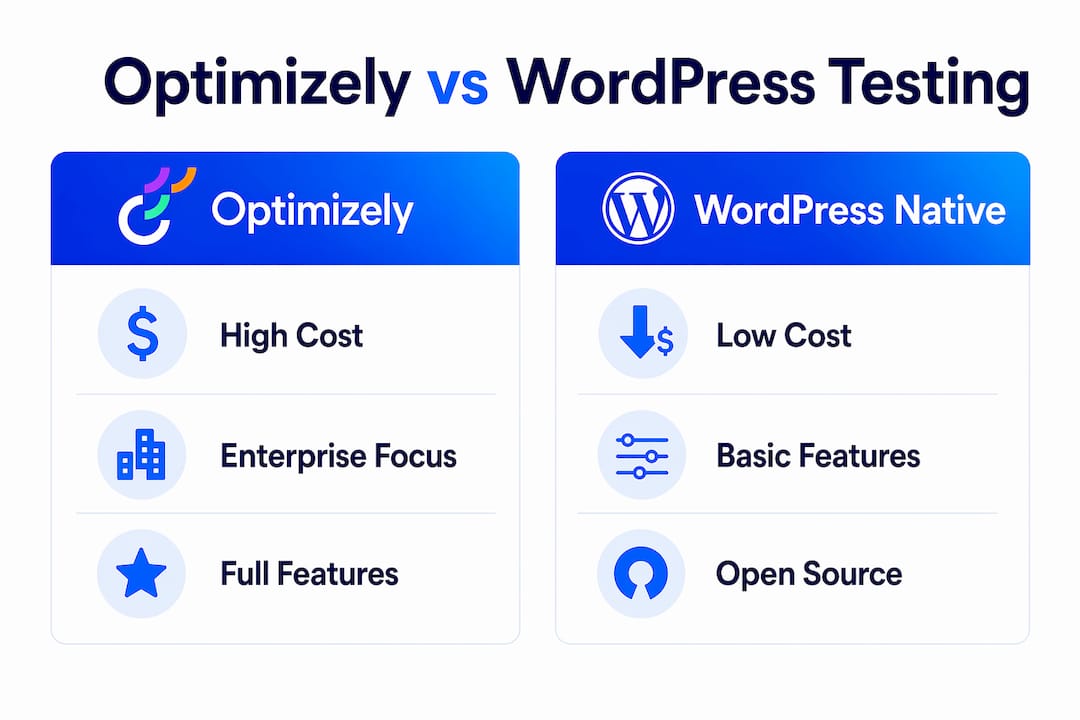
Cost is the sharpest dividing line between Optimizely and WordPress-based experimentation. The full Optimizely One DXP suite costs between $200,000 and $400,000 annually, while WordPress-based solutions are 2–3 times cheaper in total cost of ownership at comparable scale. That gap is significant for any team that does not need Optimizely's full enterprise feature set.
Even Optimizely's web experimentation module alone carries a steep price. Optimizely web experimentation can range from $36,000 to over $113,000 per year, depending on traffic volume and features. For small to mid-sized teams, that pricing puts the full platform out of reach.
"The question is not whether Optimizely is powerful. It clearly is. The question is whether your WordPress project needs $100,000-plus worth of experimentation infrastructure, or whether a lighter, more cost-effective setup delivers the same business outcomes."
| Setup type | Estimated annual cost | Best for |
|---|---|---|
| Optimizely One DXP (full suite) | $200,000–$400,000 | Large enterprise CMS stacks |
| Optimizely web experimentation only | $36,000–$113,000 | Mid-market teams with high traffic |
| WordPress with script-injected Optimizely | Varies by plan tier | Teams already paying for Optimizely |
| WordPress-native experimentation tools | Free to low four figures | SMBs and growth-focused teams |
Optimizely no longer offers a free tier for A/B testing. That change pushed many teams toward WordPress-native or modular experimentation tools that charge based on traffic rather than platform access. For site owners running under 25,000 monthly tracked users, platforms like Gostellar offer a free plan that covers the core testing workflow without the enterprise price tag.
What are the best alternatives to the Optimizely plugin for WordPress?
Developers who want A/B testing on WordPress without Optimizely's licensing costs have several solid paths. The WordPress ecosystem includes over 60,000 plugins, giving teams flexible and cost-effective experimentation setups that avoid vendor lock-in. That breadth matters when you need to swap tools or add functionality without rebuilding your stack.
The core alternatives fall into two categories: script injection methods and WordPress-native testing platforms.
Script injection methods:
- Use a script manager plugin to load any third-party experimentation snippet, including Optimizely, into the
<head>tag without editing theme files. - Configure Google Tag Manager as a script container for Optimizely or other testing tools, giving non-developers control over when and where scripts fire.
- Add the snippet directly to your child theme's
functions.phpfile usingwp_enqueue_scripts. This works but creates a maintenance dependency on theme updates.
WordPress-native testing platforms:
- Lightweight SaaS tools built for WordPress inject a small script and handle experiment logic server-side or client-side without requiring an enterprise contract.
- Gostellar runs on a 5.4KB script, which keeps page speed impact minimal while delivering real-time analytics and goal tracking.
- Open-source tools like GrowthBook connect to your existing data warehouse and give engineering teams full control over flag logic and experiment assignment.
Pro Tip: Avoid installing multiple A/B testing plugins simultaneously. Each one loads its own script and can create race conditions where two tools compete to modify the same DOM element, producing unreliable results.
Relying on heavy plugins for Optimizely integration can bloat WordPress sites and hurt Core Web Vitals scores. Lightweight script management is the cleaner path. For teams evaluating the full range of options, the best WordPress A/B testing tools guide covers the current field in detail.
Practical tips for running experiments on WordPress
Running experiments effectively on WordPress requires more than installing a script. The experiment design, targeting logic, and performance monitoring all determine whether your tests produce reliable data.
- Set a single primary goal per experiment. Testing button color and headline copy at the same time makes it impossible to know which change drove the result. One variable, one test.
- Use URL targeting precisely. WordPress sites often have dynamic URLs for categories, tags, and archives. Confirm your Optimizely or testing tool targets only the pages you intend. A misconfigured URL pattern can accidentally include admin pages or checkout flows.
- Run tests long enough to reach statistical significance. Stopping an experiment after three days because one variation looks better is the most common mistake in WordPress A/B testing. Most tools require at least 100–200 conversions per variation before results are reliable.
- Monitor Core Web Vitals during active experiments. Any script added to the
<head>can affect Largest Contentful Paint and Cumulative Layout Shift. Check Google Search Console weekly while experiments run. - Segment results by device type. Mobile and desktop users on WordPress sites often behave differently. A variation that wins on desktop can lose on mobile. Always check results split by device before declaring a winner.
Optimizely personalization logic and visitor groups cannot be exported if you ever migrate platforms. Build your targeting logic in a way that documents the rules clearly, so you can recreate them in any tool. For more depth on running tests that produce real results, the actionable tips for AB testing guide covers the full workflow from hypothesis to decision.
WordPress's SEO automation capabilities also interact with experimentation. Canonical tags and meta configurations can affect how search engines index pages that serve multiple variations. Confirm your testing tool does not expose variation URLs to crawlers.
Key Takeaways
The most effective way to run Optimizely on WordPress is through script management plugins, not a dedicated plugin, because this approach keeps performance intact and reduces maintenance overhead.
| Point | Details |
|---|---|
| No official plugin exists | Use a script manager like Pixel Manager to inject the Optimizely snippet via Project ID. |
| Cost gap is significant | Full Optimizely DXP costs $200,000–$400,000 annually; WordPress-native tools cost far less. |
| Plugin bloat hurts performance | Lightweight script injection protects Core Web Vitals better than heavy plugin stacks. |
| Test one variable at a time | Single-variable experiments produce clear, actionable data that multi-variable tests cannot. |
| Personalization logic is not portable | Document all targeting rules so you can rebuild them if you switch platforms. |
Why I think most teams overcomplicate this
After watching dozens of WordPress teams wrestle with experimentation setups, the pattern is consistent. Teams spend weeks evaluating enterprise platforms, negotiating contracts, and configuring complex integrations. Then they run three tests a year.
The Optimizely platform is genuinely powerful for large organizations running hundreds of concurrent experiments across multiple properties. For a WordPress site doing five to ten tests per quarter, the full DXP stack is architectural overkill. The market has fragmented since Optimizely removed its free tier, and that fragmentation is actually good news. Specialized tools now handle experimentation, feature flags, and analytics separately, so you pay only for what you use.
The vendor lock-in risk is real and underappreciated. Optimizely's personalization and visitor group logic cannot be exported when you migrate. Teams that build years of targeting logic inside a proprietary platform discover this the hard way. The smarter architecture keeps your experiment logic documented and portable from day one.
My honest recommendation: start with a lightweight script manager and a focused testing tool. Prove the value of experimentation at your organization before committing to a six-figure contract. WordPress gives you the flexibility to upgrade later without rebuilding from scratch.
— Juan
A/B testing on WordPress, built for how you actually work
Running experiments on WordPress should not require an enterprise budget or a dedicated engineering team. Gostellar is built for exactly that situation.

Gostellar's 5.4KB script loads fast enough to protect your Core Web Vitals while delivering real-time analytics, a no-code visual editor, and advanced goal tracking. The free plan covers sites with under 25,000 monthly tracked users, making it a practical starting point for teams that want to test before they invest. Whether you are replacing a costly platform or setting up A/B testing on WordPress for the first time, Gostellar gives you the tools to run clean, reliable experiments without the overhead.
FAQ
What is the Optimizely WordPress plugin?
The Optimizely WordPress plugin is not an official product from Optimizely. It refers to script manager plugins like Pixel Manager that inject the Optimizely experimentation snippet into WordPress via a Project ID configuration field.
How do I add Optimizely to my WordPress site?
Obtain your numeric Project ID from the Optimizely dashboard, then enter it into a script manager plugin's Optimizely configuration field. The plugin places the snippet in the <head> tag automatically.
Is Optimizely free to use on WordPress?
Optimizely no longer offers a free tier for A/B testing. Web experimentation plans start at approximately $36,000 per year, which leads many WordPress site owners to evaluate lighter, more affordable alternatives.
Does the Optimizely script slow down WordPress?
Any script added to the <head> can affect page load time and Core Web Vitals. Using a lightweight script manager and monitoring Largest Contentful Paint during active experiments minimizes the performance impact.
What are the best Optimizely alternatives for WordPress?
WordPress-native experimentation tools, open-source platforms like GrowthBook, and lightweight SaaS tools like Gostellar are the most practical alternatives. Each offers lower cost and simpler setup than the full Optimizely platform for most WordPress use cases.
Recommended
Published: 7/1/2026