
How to Stress Test a Website: A Marketer's Guide
To stress test a website, you push traffic well past your expected peak, in a staging copy of the site, until something gives: errors climb, pages slow down or a component fails. You then record where it broke, how it broke and whether it recovered. Do it before the campaigns, launches and sales that send you traffic you cannot take back, and read the result as a number you can plan around: the visitor count your site can carry.
This guide is written for marketers and growth teams who own the outcome of a traffic spike but not the servers. It covers what a stress test is, what to settle before you start, how to run one safely, how to read the numbers and what to do next.
TL;DR
- A load test checks that your site handles the traffic you expect. A stress test keeps going past that point to find where and how the site breaks, and whether it recovers.
- Test a staging copy with production-like data, never a live site you cannot afford to slow down, and only systems you own or have written permission to test.
- Before you ramp, define your expected peak, a realistic user journey and pass/fail targets such as a response-time budget and an error-rate ceiling.
- Watch four signals together: error rate, p95/p99 response times, throughput and timeouts. The first fix is the bottleneck the test exposes.
- Rerun after every significant change and keep the breaking point on record, so you can see whether the site is getting stronger or weaker.
Table of Contents
- Stress test vs. load test: what you are actually measuring
- When a marketer should ask for a stress test
- What to settle before you ramp anything
- How to run the test safely
- Choose a method that matches the question
- Reading the results
- A worked example
- After the test: fix, rerun, record
- Where A/B testing fits in a stress-tested site
- The perspective we bring
- Try experiments that stay out of your way
- FAQ
- Sources
Stress test vs. load test: what you are actually measuring
The two terms get mixed up, and the difference decides what you plan. Microsoft's ASP.NET Core documentation describes a load test as checking whether an app handles a specified user load while meeting response goals under normal conditions. A stress test places high or gradually increasing load, or limits computing resources, to test stability under extreme conditions, including whether the app returns to expected behavior after a failure.
Put simply:
- Load test: "Can we handle the 5,000 visitors our analytics say we get at peak?" It is acceptance-oriented, with a pass or fail.
- Stress test: "At what visitor count does it stop working, what fails first and does it come back?" It is exploration-oriented, and by design it is not meant to pass.
Loadster's comparison frames them as questions that complement each other. For most teams the answer to "which one?" is both: run the load test at expected peak first, then keep ramping into a stress test. Queue-it's comparison adds that a stress test reveals everything a load test does, plus what happens at the moment of failure, such as data loss, security exposure and recovery speed. The cost is that it is more expensive and complicated to run and to fix.
You may also see the term "website stresser". Akamai's glossary describes it as a tool that directs high traffic at a web server to see how it responds and how well defenses mitigate DoS-style load. The same technique used against a server you do not own is an attack. Everything below assumes your own infrastructure or explicit written permission from the owner, including your hosting provider if its terms require notice.
When a marketer should ask for a stress test
You do not need one every week. You need one when a failure would be expensive and the traffic is not under your control. Typical triggers:
- A paid campaign, product launch, email blast or influencer drop that could multiply normal traffic within minutes.
- A flash sale or seasonal peak, where a slow checkout turns directly into lost revenue.
- A migration, a new theme or checkout, a new hosting plan or any significant change to the architecture.
- A new landing page template that pulls in heavy scripts, personalization or third-party widgets.
AWS's performance-testing guidance recommends running stress tests quarterly or after any significant architecture change, and documenting the breaking point over time. A rising breaking point means the architecture is improving. A falling one means something regressed. The same page gives typical durations: load tests that ramp to target and hold for 15 to 60 minutes before each release, spike tests that jump instantly for 5 to 15 minutes ahead of flash sales and endurance tests that run 4 to 24 hours monthly.
If you are not the person who runs the test, your job is to bring the inputs the engineers cannot guess: the expected peak, the journeys that make money and the campaign calendar.
What to settle before you ramp anything
A stress test without preparation produces a number that looks precise and means nothing. Evaluat's stress-testing guide lists four prerequisites, plus monitoring across the stack:
- A production-like environment with realistic data volume. A staging site with ten products behaves differently from a catalog with ten thousand.
- A realistic user journey, such as login, search and checkout, not just the homepage.
- Your expected peak, taken from analytics.
- Pass/fail targets (SLOs). Evaluat gives examples such as p95 response time under one second and an error-rate ceiling of 0.5%. Without declared targets you cannot say when the system has actually broken.
The marketer's contribution is mostly items 2 and 3. Pull your highest-traffic day of the last quarter, the conversion funnel steps and the share of visitors who reach each one. AWS's scenario-design guide suggests modeling full journeys with production-derived ratios (for example 60% catalog, 25% search, 15% checkout), including one to five seconds of think time between actions, giving each virtual user its own data and sizing the test from 90-day peak concurrent sessions with a 1.5x to 2x safety multiplier.
Run a baseline first
Before stressing anything, run a load test at your expected peak and hold it for a few minutes. That gives you a definition of normal. Evaluat's example is 2,000 concurrent virtual users held steady. Every later number is read against that baseline. MongoDB's stress-testing basics make the same point: define the objective, establish baseline metrics, then execute incrementally rather than at maximum load, so you can isolate root causes.
How to run the test safely

Use staging, and know the exceptions
InMotion Hosting's support guide advises running stress tests in a staging environment rather than on the live site, because production testing can cause disruptions, lost data or a poor user experience. Grafana's k6 documentation explains the trade-off: pre-production testing allows more aggressive tests but results may not transfer perfectly, while production testing is the most accurate and the riskiest. It lists ways to lower the risk: off-peak scheduling, lower load during busy hours, less risky test types and good observability.
Two more details from that page matter for realism. Generating traffic from inside your own corporate network can produce artificially low response times, and cloud load generators in several regions add realistic network latency.
Set stop rules before you start
If you must test production, a 2026 production load-testing checklist recommends defining thresholds before the run and stopping automatically when they are crossed. Its examples: p95 latency above 700 ms for more than a minute, 5xx server errors above 0.5%, timeouts above 1%, or an authenticated step returning 401 or 403. It also suggests a ramp of 10%, 25%, 50%, 75% and 100% of target load, starting with a tiny validation run and a baseline at normal traffic. Keep an abort path ready and make sure the synthetic traffic is clearly marked and isolated, so it does not pollute analytics, email lists or orders.

Tell the people who need to know
Tell your hosting provider, your CDN and security team and anyone who watches alerts. Pause ad spend or exclude test traffic from reports. Disable real payments and real emails in the environment. If the test hits third-party services such as payment gateways or email senders, use their sandbox modes.
Choose a method that matches the question
There is no single correct tool. OctoPerf's comparison of open source tools finds you can achieve the same things with all of them, but they measure response time differently in how they handle DNS, connections and TLS. Pick one, and use it consistently so results are comparable across runs.
The more useful choice for a marketer is the type of traffic:
| Approach | What it does | Best for |
|---|---|---|
| Protocol-level (HTTP requests, no rendering) | Cheap per virtual user, high throughput | Pushing the backend and APIs to their limit |
| Real-browser | Renders pages like a visitor, heavier per user | Validating critical flows at moderate load |
| Mixed | Browsers for key journeys, protocol traffic for volume | Most ecommerce and lead-gen sites |
This split comes from Loadster's web application stress-testing guide, which notes that protocol-level testing misses client-side behavior and that many teams combine both. If your pages depend on client-side rendering, measure Core Web Vitals (TTFB, FCP, LCP, CLS) alongside server response times, since visitors feel the whole experience, not just the server.
Reading the results
The breaking point is not one number. Evaluat says it shows up as four signals together: error rate climbing, p95 and p99 response times spiking, throughput flattening or dropping and timeouts appearing. In plain words, p95 is the response time that the slowest 1 in 20 visitors experience, and p99 the slowest 1 in 100. Averages hide these people, and they are often the ones abandoning the cart.
When throughput stops growing even though you are adding users, requests are queueing. That often coincides with CPU at 100% or memory saturated.
A few reading rules from practitioners:
- Look for the knee. A Gatling guide from Woodmark Consulting recommends increasing load gradually to find the point where latencies suddenly rise, which is often the true capacity limit. It also suggests 30 to 60 minute runs for critical scenarios to catch memory leaks that short tests miss.
- Watch the load generator too. If the machine producing traffic is overloaded, you are testing the generator, not your site. Marco Behler's load-testing guide says to discard a run if the server or any loader was overloaded or if 400 and 500 errors appeared unexpectedly.
- Let the failure mode point to the fix. AWS's guidance says a database connection limit points to connection pooling or read replicas, a function concurrency throttle to reserved concurrency or redesign and a memory crash to a leak or undersized instances.
Check recovery before you stop
Loadster lists recovery checks to run at the end: do response times return to baseline, do error rates drop to zero, do background queues drain, is the database healthy and do caches rebuild? A site that recovers on its own is far safer in a real spike than one that needs a manual restart. That is a finding worth fixing before production sees it.
A worked example
Suppose an online shop gets 800 concurrent visitors on its best day and plans a promotion that could double that. The team:
- Runs a baseline at 800 virtual users on staging with a catalog the size of production. p95 is 650 ms with 0.1% errors.
- Sets targets: p95 under one second, errors under 0.5%.
- Ramps to 1,600 (the 2x campaign scenario), then toward 3,000 to 5,000, which is the two to ten times range Evaluat suggests for reaching the edge.
- Sees p95 cross one second near 2,100 users while throughput flattens. Database connections are exhausted.
- Fixes connection pooling, reruns and logs the new breaking point at 3,400 users.
- Confirms that after the load drops, response times return to baseline within a few minutes.
The campaign plan now has a safe ceiling, a known failure mode and a documented before and after. The numbers here are illustrative, not benchmarks.
After the test: fix, rerun, record
Use the findings to tune configuration and resources, improve error handling and refine the architecture, then rerun to confirm the fix worked. That cycle is the one MongoDB describes, along with repeating tests periodically and after meaningful system or business changes.
For a marketing team, the stress test is also a conversion exercise. Slow pages lose visitors long before a server fails, so tie technical findings to what visitors see. If you want practical tactics for the front-end side, this walkthrough on how to boost website speed covers speed fixes for small businesses and marketers. On our own blog, increasing landing page speed and improving landing page performance go through the page-level side, and performance and load testing explained covers the testing basics. If you want the engineering view, see our 10-step online website stress test guide and our overview of load testing for traffic surges.
Where A/B testing fits in a stress-tested site
Stress testing tells you the site can survive traffic. A/B testing tells you whether the traffic converts. The two meet in one place: every script you add to a page costs speed, and that cost is multiplied by every visitor in a spike. A testing tool that loads quickly and runs without developer involvement keeps experiments from becoming one more thing your stress test has to explain.
That is the design goal behind our platform. Our script is 5.4KB, and we built it to minimize its impact on page performance. You build variants in a no-code visual editor, track goals and read real-time analytics, with direct integrations for WordPress, Shopify, Webflow, Wix, Squarespace, Framer and Bubble.
Run your stress test with your experiments live, not switched off. A breaking point measured on a page without your real scripts is a breaking point for a page your visitors never see.
The perspective we bring
Most teams treat speed and conversion as separate projects: engineers stress test the servers, marketers test headlines. We think that split costs money. A visitor does not care whether a delay came from the database or from a heavy script. They just leave.
That is why we built Stellar as a performance-first A/B testing platform. A tiny script, a visual editor that lets marketers launch experiments without waiting for a developer, and goal tracking that shows what a change did to conversions. When a stress test gives you a safe traffic ceiling, the next question is what to do with the visitors who arrive under it. Experiments answer that question, and they should not slow the answer down.
Our advice: stress test the infrastructure quarterly, test the page continuously and keep both on the same calendar as your campaigns.
Juan
Try experiments that stay out of your way
If your stress test shows the site holds up, the next gain comes from converting more of the traffic it carries. Stellar offers a free Sandbox plan at $0 per month, with the paid plans Plus at $29 per month, Pro at $99 per month and Scale at $399 per month. Enterprise has no published price. Plans are tiered by monthly tracked users, and the free tier suits businesses under 25,000 monthly tracked users.
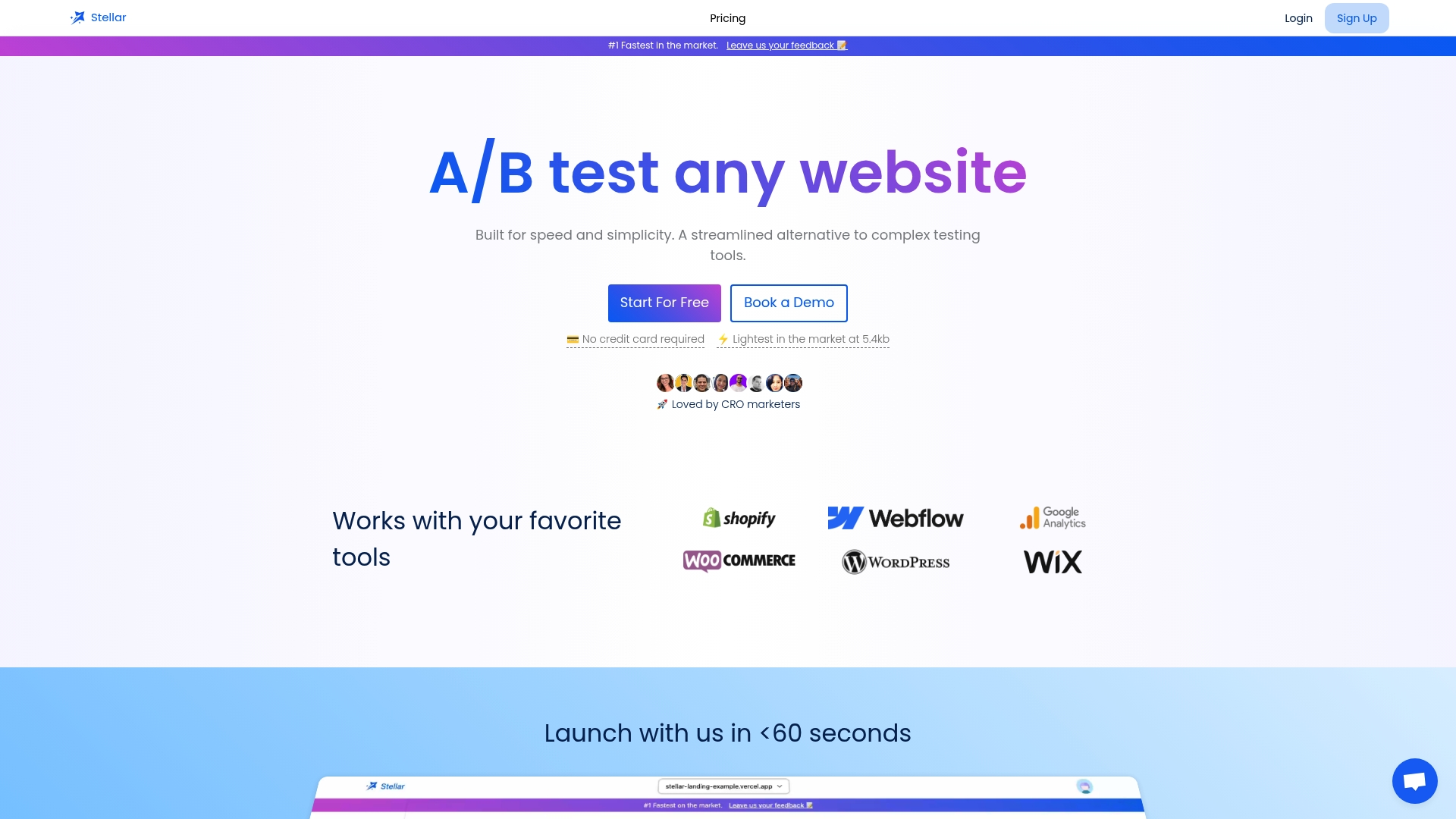
See the plans on the Stellar homepage and start your first experiment without developer help.
FAQ
What is the difference between a stress test and a load test?
A load test checks that your site meets response goals at the traffic you expect. A stress test keeps raising traffic beyond that level to find the breaking point, see how the system fails and check whether it recovers. Most teams run the load test first and continue the ramp into a stress test.
How often should I stress test my website?
AWS recommends quarterly runs and a rerun after any significant architecture change. Add one before any campaign, launch or sale that could send much more traffic than usual. Keep a record of each breaking point so you can spot regressions.
Can I stress test a live website?
Staging is the safer default, because production tests can cause disruptions or lost data. If you must test live, set automatic stop thresholds beforehand, start with a small validation run, ramp in steps such as 10%, 25%, 50%, 75% and 100% and keep an abort path ready. Only test systems you own or have written permission to test.
Which metrics matter most in a stress test?
Watch error rate, p95 and p99 response times, throughput and timeouts together. Averages hide the slowest visitors, so percentiles tell you more. Also track CPU, memory, network and database connections on the server, and the load generator's own resources.
Sources
- ASP.NET Core load/stress testing, Microsoft Learn
- Load Testing vs Stress Testing: Key Differences Explained
- Load Testing vs. Stress Testing: Key Differences & Examples
- What Is a Website Stresser? | Akamai
- Understanding Test Types, Performance Testing on AWS
- Designing Realistic Test Scenarios, Performance Testing on AWS
- Stress testing a website: how to find the breaking point
- How to Use Stress Testing Software | MongoDB
- How to Stress Test Your Website, InMotion Hosting
- Load testing websites | Grafana k6 documentation
- Production Load Testing Checklist: Test Live Safely
- Open source Load Testing tools comparative study, OctoPerf
- Web Application Stress Testing: Practical Tips and Examples
- Gatling: A Powerful Framework for Efficient Load Testing, Woodmark
- Load Testing: An Unorthodox Guide