
UI UX Tester Guide for Marketers and Growth Hackers
A UI UX tester is a specialist who evaluates digital products by verifying that interface elements work correctly and that users can accomplish their goals without friction. For marketers and growth hackers, this role is not optional. Every friction point in a user journey is a conversion you lose before your A/B test even has a chance to run.
The distinction matters: UI testing confirms functionality — buttons click, forms submit, layouts render across devices. UX testing asks whether users can actually achieve what they came to do, and whether the experience leaves them satisfied enough to return. A visually perfect interface will still fail if the checkout flow confuses first-time buyers.
Core elements a UI UX tester evaluates in marketing contexts:
- Task completion rates: Can users finish key actions like signing up, purchasing, or submitting a lead form?
- Navigation flow: Do users move through the funnel intuitively, or do they backtrack and abandon?
- Visual consistency: Are buttons, fonts, and layouts rendering correctly across browsers and screen sizes?
- User feedback: What do participants say and do when they hit a confusing step?
- Emotional response: Does the experience build confidence, or does it create doubt at critical decision points?
Table of Contents
- What methods work best for UI and UX testing in marketing?
- Why UI and UX testing are worth every hour you invest
- How Gostellar supports your UI/UX testing and growth workflow
- Key Takeaways
- The case for testing before you optimize
What methods work best for UI and UX testing in marketing?
The right method depends on your budget, timeline, and what you need to learn. Most marketing teams benefit from mixing two or three approaches rather than committing to one.
Usability testing methods range from moderated lab sessions to quick guerrilla tests in public spaces. Moderated testing gives you a facilitator who guides participants through tasks in real time, asking follow-up questions and probing hesitations. Unmoderated testing lets participants work through tasks independently, usually recorded for later review. Remote testing cuts costs and broadens your participant pool. In-person testing lets you observe nonverbal cues that recordings miss.
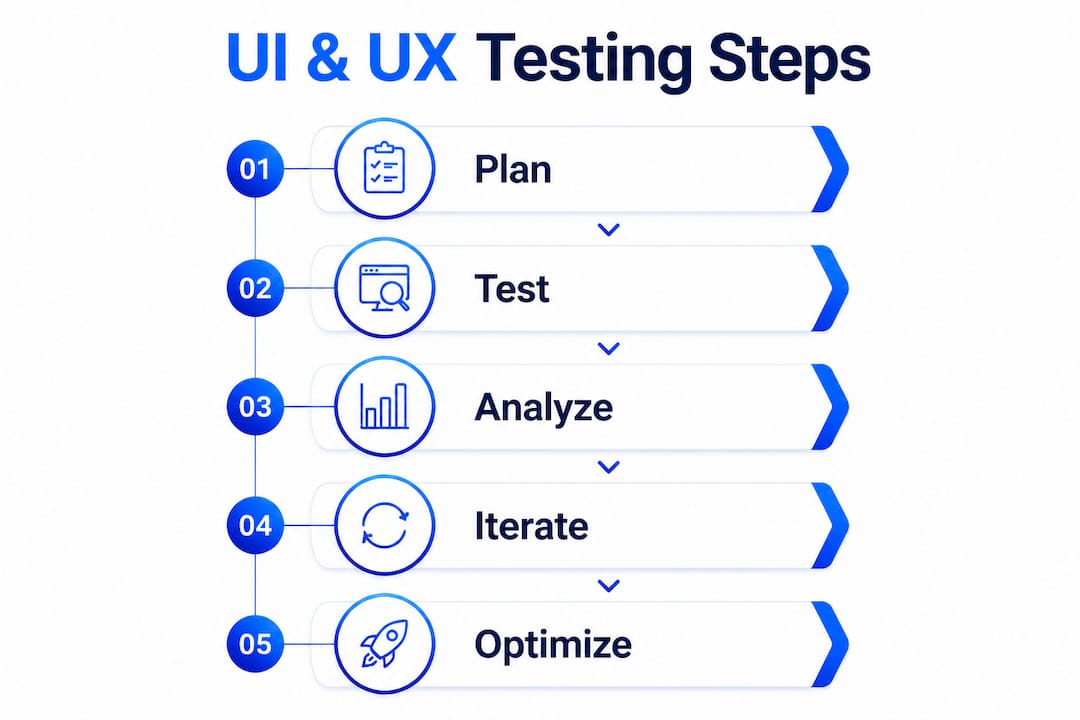
For growth hackers specifically, A/B testing complements usability testing by splitting traffic between two interface variations and measuring which version drives better conversion. Where usability testing tells you why users struggle, A/B testing tells you which change actually moves the metric.
Best practices for running effective tests:
- Match participants to your real audience. Recruiting the wrong people produces misleading data. If your product targets small business owners, test with small business owners, not designers or developers.
- Design tasks around real user goals, not feature demonstrations. "Find and purchase the starter plan" beats "explore the pricing page."
- Collect both behavioral and verbal feedback. Watch what users do, then ask what they were thinking.
- Run a pilot test first with one or two participants to catch broken task instructions before the full study.
- Balance manual and automated testing. Automation handles repetitive UI checks like regression and visual validation. Manual evaluation captures the nuanced human judgment that automation cannot replicate.
Pro Tip: Tell participants to use the product as if they were actual customers, not as testers looking for bugs. Authentic user behavior produces valid insights; "professional" testing behavior produces false confidence.
Why UI and UX testing are worth every hour you invest
UI testing creates the first impression. If a button does not respond or a form throws an error on mobile, users leave before they ever experience your value proposition. A flawless backend is invisible if the interface breaks trust in the first ten seconds.

UX testing goes further. It uncovers the friction that does not look broken but still costs you conversions: the checkout step that requires too many clicks, the headline that confuses rather than clarifies, the mobile layout that technically renders but feels awkward to navigate. These are the issues that damage loyalty over time, not just bounce rates today.
NNGroup recommends 5–10 participants per usability study. That sample is large enough to surface the major issues and small enough to keep costs manageable. Most teams that skip testing assume their design is intuitive because they built it. Most users disagree.
Common failures that testing prevents:
- Navigation labels that make sense to the team but confuse new visitors
- Responsive design breakdowns on specific screen sizes that developers never tested
- Form validation errors that appear after submission instead of before
- CTA buttons that blend into the background on certain devices
- Onboarding flows that assume prior knowledge the user does not have
Stat to know: Qualitative usability testing is the more common and valuable approach early in design, revealing why users encounter problems rather than just measuring what fails.
UI testing without UX testing gives you a technically correct product that users cannot figure out. UX testing without UI testing gives you usability insights that break down the moment a bug surfaces. You need both, and you need them running in parallel with your experimentation cycle. Understanding how UX testing drives user engagement and loyalty is what separates teams that iterate effectively from those that keep running A/B tests on a broken foundation.
How Gostellar supports your UI/UX testing and growth workflow
Gostellar is built for exactly the kind of fast, iterative testing that growth-focused teams need. The platform's script weighs just 5.4KB, which means adding it to your site does not slow page load or distort the UX you are trying to measure. That matters more than most teams realize: a slow testing script can itself introduce friction that skews your results.
The no-code visual editor lets marketers set up experiments without waiting on a developer. You can modify headlines, swap CTAs, adjust layouts, and launch a test the same day you identify a hypothesis. Dynamic keyword insertion personalizes landing pages based on the visitor's search query, which means you can test personalized versus generic messaging without building separate pages for each variant.
Key features that support UI/UX testing workflows:
- Real-time analytics surface conversion data as it comes in, so you are not waiting days to spot a clear winner
- Advanced goal tracking lets you define success beyond clicks, capturing form submissions, scroll depth, and custom events
- No-code setup removes the technical barrier that slows most marketing teams down
Gostellar also fits naturally into a broader lead generation optimization workflow, where UX improvements and A/B test results compound over time. For teams building out their marketing automation checklist, integrating continuous UI validation early prevents the kind of silent conversion leaks that automation alone cannot fix.

Run your first A/B test free at Gostellar and start turning UX insights into measurable growth.
Key Takeaways
Effective UI/UX testing combines qualitative usability research with quantitative A/B testing to eliminate friction, build user trust, and drive conversion improvements that compound over every iteration cycle.
| Point | Details |
|---|---|
| UI vs. UX testing | UI testing confirms interface elements function correctly; UX testing validates that users can achieve their goals efficiently. |
| Participant count | NNGroup recommends 5–10 participants per usability study to uncover major issues without excessive cost. |
| Authentic behavior | Instruct participants to act as real customers, not testers, to collect valid behavioral feedback. |
| Manual plus automated | Automation handles repetitive UI checks; manual evaluation captures nuanced UX insights automation cannot replicate. |
| Gostellar advantage | Gostellar's 5.4KB script and no-code visual editor let marketers run fast experiments without slowing their site or waiting on developers. |
The case for testing before you optimize
Most growth teams treat UI/UX testing as something you do after you notice a problem. That is the wrong order. By the time a conversion drop shows up in your dashboard, the friction has already cost you weeks of compounding losses.
The smarter approach is to embed usability testing at the start of every experimentation cycle, not the end. Run a quick moderated session before you finalize a new landing page. Use session recordings to validate that your A/B test winner actually works the way you think it does. Treat usability testing as the quality check that makes your A/B test data trustworthy, not the fallback you reach for when results disappoint.
There is also a tendency to over-rely on automation. Automated UI checks are fast and consistent, but they cannot tell you that a user felt confused, hesitated before clicking, or almost abandoned a form because the error message was unclear. That kind of insight only comes from watching a real person interact with your product. The teams that combine both approaches consistently outperform those that pick one.
Platforms like Gostellar make it practical to keep this cycle running continuously. When testing is fast and low-friction, you run more experiments. More experiments mean more data. More data means better decisions. The web UI testing guide from Gostellar is a solid starting point for building that habit into your workflow.
Recommended
Published: 7/21/2026