
WordPress Optimizely Integration: A Marketer's Guide
TL;DR:
- Connecting WordPress to Optimizely enables testing, personalization, and content management through integrated workflows. The setup involves installing a plugin and deploying a JavaScript snippet, with challenges like snippet placement and caching to consider. This integration boosts experimentation speed and workflow efficiency but requires discipline and careful cost management for optimal results.
WordPress Optimizely integration is the process of connecting your WordPress site to Optimizely's experimentation and personalization platform to run A/B tests, deliver targeted content, and manage publishing workflows from a single interface. Optimizely's Content Marketing Platform (CMP) connects directly to WordPress, letting marketers plan, schedule, and publish posts without leaving the Optimizely environment. The combination gives site owners both the flexibility of WordPress's 60,000+ plugin ecosystem and Optimizely's enterprise-grade testing engine. That pairing is powerful, but it comes with real tradeoffs in cost, complexity, and control that every marketer should understand before committing.
How does WordPress Optimizely integration work?
The Optimizely WordPress integration operates through two distinct pathways: the Optimizely CMP plugin for content workflow and Optimizely's JavaScript snippet for front-end experimentation. Understanding which pathway serves your goal determines how you set up the connection.
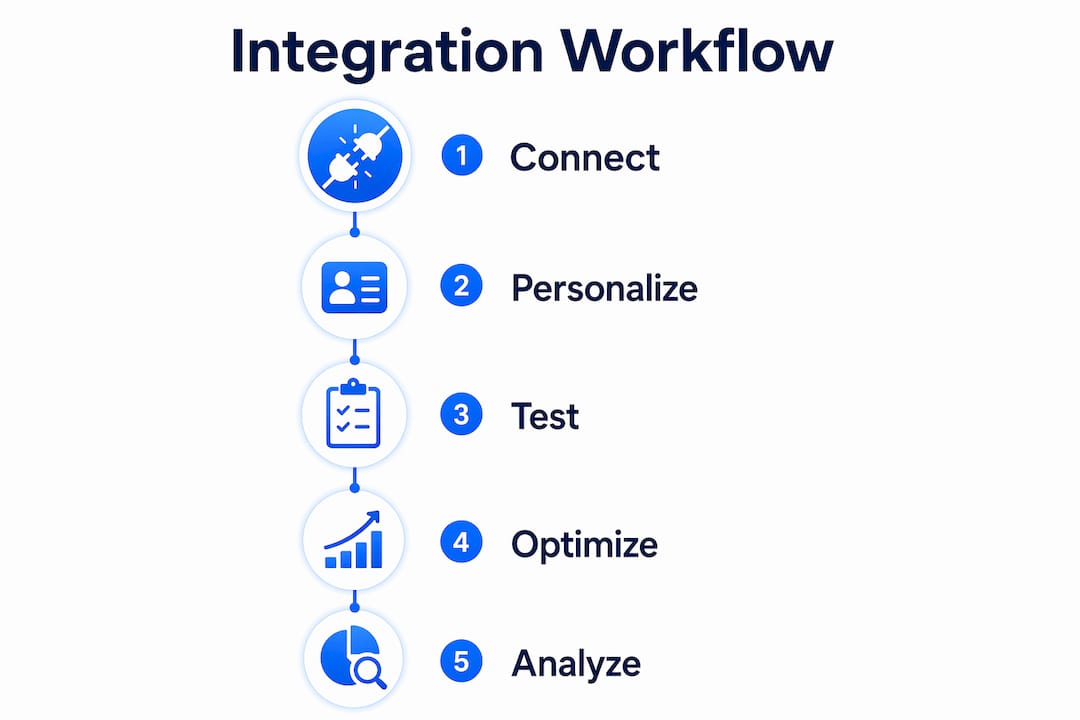
Step-by-step setup
-
Install the Optimizely CMP plugin. Search for the official Optimizely plugin in the WordPress plugin directory, install it, and activate it. This plugin connects WordPress posts to Optimizely's content calendar, enabling planning, creation, scheduling, and publishing from within Optimizely CMP.
-
Authenticate your Optimizely account. After activation, navigate to the plugin settings and enter your Optimizely API credentials. This links your WordPress instance to your Optimizely workspace.
-
Add the Optimizely snippet for experimentation. For A/B testing and personalization, paste Optimizely's JavaScript snippet into your WordPress theme's
<head>section, or use a tag manager like Google Tag Manager to deploy it without touching code. -
Map your content types. Optimizely's CMP recognizes standard WordPress post types by default. For custom post types, you must manually configure the mapping inside the plugin settings so content flows correctly between platforms.
-
Configure experiment goals. Inside Optimizely's dashboard, define the metrics you want to track: clicks, form submissions, scroll depth, or revenue events. These goals fire based on the snippet already running on your WordPress pages.
-
Test the connection. Publish a draft post from Optimizely CMP and confirm it appears correctly in WordPress. Run a simple A/B test on a low-traffic page first to verify that the snippet fires and data appears in your Optimizely results dashboard.
Pro Tip: Deploy the Optimizely snippet through Google Tag Manager rather than hardcoding it into your theme. This approach lets you pause or update experiments without a developer touching your WordPress files.
One common setup challenge is snippet placement. Optimizely's snippet must load synchronously in the <head> to prevent content flicker during experiments. Loading it asynchronously speeds up the page but causes visible layout shifts that undermine test validity. A second frequent issue involves caching plugins. W3 Total Cache and WP Super Cache can serve cached pages that bypass Optimizely's audience targeting logic entirely. Disable page caching for URLs included in active experiments, or configure your caching plugin to exclude those pages.
Security considerations are straightforward. Keep the Optimizely plugin updated, restrict API key access to editor-level users only, and audit connected third-party scripts quarterly. A compromised API key gives an attacker the ability to modify live experiments.
What features and strategies does the integration unlock?

The WordPress Optimizely combination delivers three core capabilities: native experimentation, content personalization, and workflow control. Each one addresses a different conversion problem.
A/B testing and multivariate testing
Optimizely's experimentation engine supports both standard A/B tests and multivariate tests that evaluate multiple page elements simultaneously. Opal users ran 78.7% more experiments and cut campaign completion time by 53.7%, which shows the throughput advantage of Optimizely's testing infrastructure over manual methods. For WordPress site owners, this means you can test headline copy, button color, form length, and hero images without writing a single line of code, provided the Optimizely snippet is correctly deployed.
Personalization via visitor segments
Optimizely's personalization layer lets you serve different content to different visitor groups based on location, device type, referral source, or behavioral history. Within WordPress, this works at the page level. You define audience rules inside Optimizely's dashboard, and the snippet swaps content blocks for matching visitors. This is particularly effective for landing pages where a single generic message underperforms across diverse traffic sources.
Content workflow through Optimizely CMP
The CMP integration removes the friction of switching between a content calendar tool and WordPress. Editorial teams can draft, assign, review, and schedule posts inside Optimizely, with the final publish action pushing content directly to WordPress. This reduces the risk of publishing errors and keeps content timelines visible to the whole team.
- Run WordPress split tests on high-traffic pages first to collect statistically significant results faster.
- Use Optimizely's audience segmentation to separate mobile and desktop visitors before drawing conclusions from test data.
- Pair Optimizely experiments with SEO plugins like Yoast SEO to confirm that test variants do not introduce duplicate content or broken canonical tags.
- Add site speed plugins such as Autoptimize or WP-Optimize alongside Optimizely to maintain fast loading times during active experiments.
- Review your WordPress A/B testing tools periodically to confirm Optimizely's feature set still justifies its cost relative to lighter alternatives.
Pro Tip: Use Optimizely's "Exclusion Groups" feature to prevent the same visitor from being enrolled in two conflicting experiments at once. Overlapping tests corrupt your results and make it impossible to attribute a conversion lift to a single change.
One underappreciated advantage of the WordPress plugin ecosystem is cost control. Users often pay for bundled Optimizely modules they never activate, which inflates the total cost without adding measurable value. Selective use of best-in-class WordPress plugins for SEO, speed, and analytics can replicate several of those bundled features at a fraction of the price.
Best practices for running experiments in WordPress with Optimizely
Effective experimentation requires discipline before, during, and after each test. The technical setup is only half the work.
Plan experiments with a single, measurable goal. A test that tries to improve both click-through rate and time on page simultaneously produces ambiguous results. Define one primary metric per experiment and treat secondary metrics as directional signals only.
Rebuild visitor group logic carefully. Personalization rules and visitor group assignments cannot be exported or auto-transferred between platforms. If you are migrating from a previous setup or reconfiguring after a platform change, each segment must be rebuilt manually inside Optimizely. Skipping this step means your personalized content reaches the wrong audience.
Protect SEO during tests. Search engines can index test variants if they are served as separate URLs. Use Optimizely's client-side testing approach, which modifies the DOM after page load rather than creating new URLs. This keeps your canonical structure intact and prevents ranking dilution.
Set a minimum sample size before reading results. Calling a test early because one variant looks promising is the most common experimentation mistake. Use a statistical significance calculator to determine the minimum number of visitors needed before you draw conclusions. Optimizely's dashboard shows significance levels, but the decision to stop a test should follow a pre-set threshold, not impatience.
Monitor site performance throughout the test. The Optimizely snippet adds load to every page it runs on. Check Core Web Vitals scores in Google Search Console weekly during active experiments. A drop in Largest Contentful Paint or Cumulative Layout Shift scores signals that the snippet or a test variant is degrading user experience.
Real-world scenarios where this integration delivers results
The practical value of combining WordPress with Optimizely shows up most clearly in specific business situations.
E-commerce product pages. A retailer running WordPress with WooCommerce can use Optimizely to test different product description formats, pricing displays, and add-to-cart button placements. The experimentation layer sits on top of the existing WordPress setup without requiring a platform migration.
Lead generation landing pages. B2B marketers use Optimizely's personalization to show different value propositions to visitors arriving from paid search versus organic traffic. A visitor from a Google Ads campaign sees a message aligned with the ad copy, while an organic visitor sees a broader brand message. This alignment between ad intent and landing page content consistently improves conversion rate optimization outcomes.
Content-heavy editorial sites. Publishers managing large content volumes benefit from the CMP workflow integration. Editorial calendars, approval chains, and publishing schedules all live inside Optimizely, while the content itself lives in WordPress. This separation of workflow from content storage reduces the risk of accidental overwrites and keeps the editorial process auditable.
| Scenario | Primary benefit | Key tool |
|---|---|---|
| E-commerce product pages | Higher add-to-cart rate | Optimizely A/B testing |
| Lead generation landing pages | Better ad-to-page alignment | Optimizely personalization |
| Editorial content sites | Cleaner publishing workflow | Optimizely CMP plugin |
| Performance-sensitive sites | Fast load with active tests | WP-Optimize + Autoptimize |
One cost consideration shapes all of these scenarios. Optimizely's full suite costs $200,000+ annually, with experimentation features alone ranging from $36,000 to $113,000 per year. WordPress-based alternatives with best-in-class plugins typically cost 2–3x less for comparable scale. The right choice depends on whether your experiment volume and personalization complexity genuinely require Optimizely's enterprise infrastructure, or whether a lighter setup serves your goals just as well. For teams exploring lighter options, Gostellar's 5.4KB A/B testing script delivers real-time analytics with minimal performance impact, which is worth evaluating alongside Optimizely.
Key Takeaways
Integrating Optimizely with WordPress delivers measurable gains in experimentation speed and personalization depth, but only when the setup, cost structure, and experiment discipline are managed correctly.
| Point | Details |
|---|---|
| Two integration pathways | Use the CMP plugin for content workflow and the JS snippet for front-end experimentation. |
| Cost scales fast | Optimizely's full suite exceeds $200,000 annually; evaluate which modules you actually use. |
| Visitor segments need manual work | Personalization rules cannot be exported and must be rebuilt by hand after any platform change. |
| SEO protection is non-negotiable | Use client-side testing to avoid duplicate URLs and canonical tag issues during experiments. |
| Speed plugins are required | Pair Optimizely with Autoptimize or WP-Optimize to keep Core Web Vitals scores healthy. |
What I've learned after years of watching teams use this integration
Most teams that struggle with WordPress Optimizely integration share one problem: they treat the tool as a solution rather than a system. They install the plugin, run a few tests, and expect results to appear. The teams that actually move their conversion numbers treat experimentation as an ongoing practice with documented hypotheses, defined success metrics, and a review cycle that feeds each test's findings into the next.
The cost conversation is also more nuanced than most articles admit. Optimizely's pricing is genuinely high, and the bundled module structure means you often pay for capabilities you never touch. That said, the experimentation depth and the speed of running high-volume tests are real advantages for teams with complex personalization needs. The mistake is paying enterprise prices for basic use cases that a lighter tool handles just as well.
The most overlooked benefit of the integration is the CMP workflow connection. Marketers focus on A/B testing because it's measurable, but the publishing workflow improvement quietly saves editorial teams hours every week. When content planning, approval, and scheduling all live in one place, the quality of what gets published improves because nothing falls through the cracks.
My honest recommendation: audit your actual experiment volume and personalization complexity before committing to Optimizely's full suite. If you run fewer than ten experiments per month and your personalization needs are segment-level rather than individual-level, a WordPress-native solution with WordPress SEO automation and a lightweight testing tool will serve you better at a fraction of the cost.
— Juan
A/B testing on WordPress without the enterprise price tag
Running experiments on WordPress should not require a six-figure annual contract. Gostellar is built for marketers and site owners who want real experimentation results without the complexity of enterprise platforms.

Gostellar's 5.4KB script loads faster than any comparable testing tool, keeping your Core Web Vitals scores intact while experiments run in the background. The no-code visual editor lets you build and launch test variants in minutes, and real-time analytics show you which version wins without waiting for weekly reports. For teams under 25,000 monthly tracked users, Gostellar offers a free plan with full A/B testing features included. If you are weighing Optimizely's cost against what you actually need, Gostellar is the practical starting point.
FAQ
What is WordPress Optimizely integration?
WordPress Optimizely integration connects your WordPress site to Optimizely's platform, enabling A/B testing, personalization, and content workflow management through the Optimizely CMP plugin and a JavaScript snippet.
Does Optimizely have a WordPress plugin?
Yes. Optimizely offers an official WordPress plugin that connects WordPress posts to Optimizely's Content Marketing Platform for planning, scheduling, and publishing content directly from Optimizely.
How much does Optimizely cost for WordPress users?
Optimizely's full suite exceeds $200,000 annually, with experimentation features priced between $36,000 and $113,000 per year. WordPress-based alternatives with comparable plugins typically cost significantly less.
Will Optimizely experiments hurt my WordPress SEO?
Client-side Optimizely tests do not create new URLs, so they do not harm canonical structure. Pair experiments with an SEO plugin like Yoast SEO and monitor Google Search Console for any changes in Core Web Vitals during active tests.
Can I run A/B tests on WordPress without Optimizely?
Yes. WordPress supports a wide range of experimentation tools through its plugin ecosystem, including lightweight options like Gostellar that deliver real-time analytics with minimal performance impact at a lower cost than enterprise platforms.
Recommended
Published: 7/10/2026