
No-Code A/B Testing: How to Run Reliable Tests Without a Developer
No-code A/B testing means you build variants in a visual editor, install one script, and read results in a dashboard, with no engineering ticket in the loop. The hard part is not the setup. It is running the test long enough, tracking the right goal and keeping the page fast. Stellar's plans start at $0 per month, with a free Sandbox plan, so a first test costs you an afternoon, not a sprint.
TL;DR
- No-code testing covers headlines, copy, images, buttons, layouts and offers on live pages. Server-side decisions like pricing logic or search results are a different job.
- Write a hypothesis, change one element, pick a primary metric plus a guardrail metric, and calculate sample size before launch.
- Plan for at least 1 to 2 weeks, and stop only when the pre-calculated sample is reached, not when the dashboard first turns green.
- Check page speed, flicker and conversion tracking before you send traffic. A broken variant measures noise.
- Pages with very little traffic are better served by qualitative research than by a split test.
Table of Contents
- What no-code A/B testing actually is
- What you can test without code
- How to set up a no-code A/B test, step by step
- Check speed and tracking before you send traffic
- Reading the results without fooling yourself
- When A/B testing is not the right tool
- Testing mobile apps
- Start with a plan that fits your traffic
- Our perspective
- FAQ
- Sources
What no-code A/B testing actually is
An A/B test shows version A (the control) to one random half of your visitors and version B (the variant) to the other half, then compares a goal such as sign-ups or purchases. The no-code part is how you create version B. A visual editor loads your live page, you click the headline or button, change it, and the tool applies that change in the visitor's browser through a short script you add once.
That is the whole mechanism. You do not edit templates, deploy a build or wait for a release window. For a growth marketer or ecommerce owner, it moves the bottleneck from "who can implement this" to "what is worth testing", which is where the bottleneck should be.
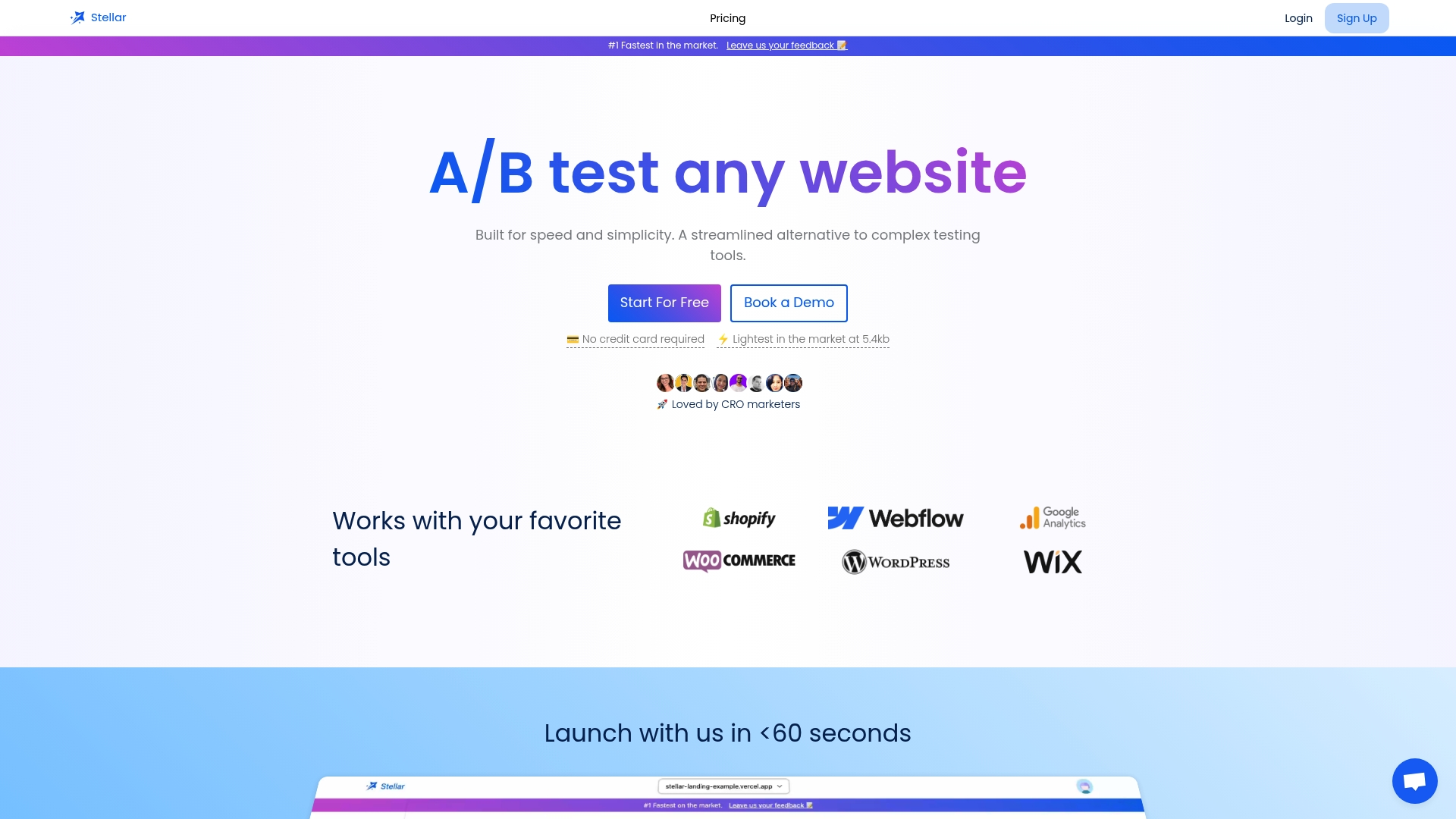
Stellar is built around this idea. The visual editor works for web and mobile, the script weighs only 5.4KB, and the platform connects directly to WordPress, Shopify, Webflow, Wix, Squarespace, Framer and Bubble. If you want the longer argument for working without engineers, our handbook on A/B testing without dev support goes deeper, and our piece on the benefits of no-code testing for marketers covers the workflow side.
What you can test without code
A visual editor handles anything that changes what the visitor sees on the page:
- Headlines and subheads: the highest-leverage element on most landing pages.
- Calls to action: button copy, color, size and placement.
- Imagery and social proof: hero image, testimonials, logos, review counts.
- Layout and page structure: section order, form length, hiding a navigation bar.
- Offers and messaging: the framing of a discount, a free trial or a guarantee.
- Personalized copy: with dynamic keyword insertion, the headline can echo the search term that brought the visitor, so an ad for "project management software for agencies" lands on a page that says exactly that.
For ideas that pay off on landing pages specifically, see our list of 10 A/B testing ideas for landing pages and the complete guide to A/B testing landing pages.
How to set up a no-code A/B test, step by step
The Nielsen Norman Group, a UX research firm, describes a four-part setup for A/B tests: a hypothesis tied to a goal, one changed design element, a primary metric with guardrail metrics, and a duration based on a sample-size calculation. Here is that routine in practice, with the places it usually goes wrong.
1. Write a hypothesis tied to a goal
A usable hypothesis has three parts: the change, the expected effect and the reason. "Replacing the generic headline with one that names the buyer's job will raise demo requests because visitors will recognize the offer faster." Without the reason, you cannot learn anything from a loss.
Where it goes wrong: testing because a competitor changed something, or because a color felt wrong. NN/g notes that tests without a strong hypothesis tend to lose, with only around one in seven tests winning. Your hypothesis is your filter. For help choosing what to test first and how to frame the metric, this guide to landing page optimization strategies is a good companion.
2. Install the script once
Add the tool's snippet to your site, or connect the platform if you build on a supported site builder. With Stellar, the integrations with WordPress, Shopify, Webflow, Wix, Squarespace, Framer and Bubble mean this step does not need a developer, and the 5.4KB script is designed to keep the performance cost minimal.
Where it goes wrong: installing the snippet in a place that loads late. Loaded late, it lets visitors see the original page for a split second before the variant swaps in, the flicker that makes variants look broken and can bias behavior.
3. Build one change in the visual editor
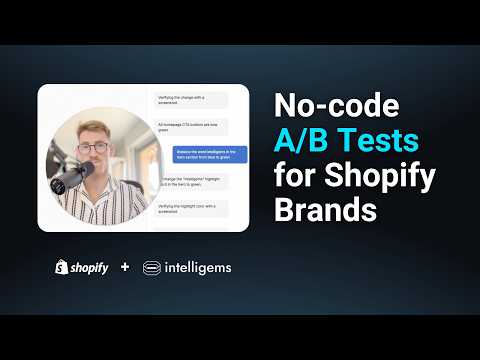
Open the page in the editor, change the element and preview it on desktop and mobile. Change one thing. NN/g advises against testing several changes at once in a standard A/B test, because you cannot tell which change moved the number. If you want to test combinations, that is multivariate testing, and it needs far more traffic.
Where it goes wrong: a variant that looks right on your laptop and breaks at a narrow phone width. Preview at least one phone size before launch.
4. Define your goals
Pick one primary metric, the thing the hypothesis is about: a completed form, a purchase, a click on the pricing page. Then add guardrail metrics, the things that must not get worse, such as revenue per visitor or refund rate. NN/g warns that tracking a single metric without guardrails is a common mistake: a variant can win on clicks and lose on money.
Stellar's advanced goal tracking lets you set conversion goals alongside the experiment, and the real-time analytics dashboard shows them as visits arrive. Our data API is there when you want the numbers in your own reporting.
Where it goes wrong: choosing a goal that fires on page load, or twice per purchase. Walk through the conversion yourself in each variant and confirm it registers once.
5. Calculate sample size and duration before launch
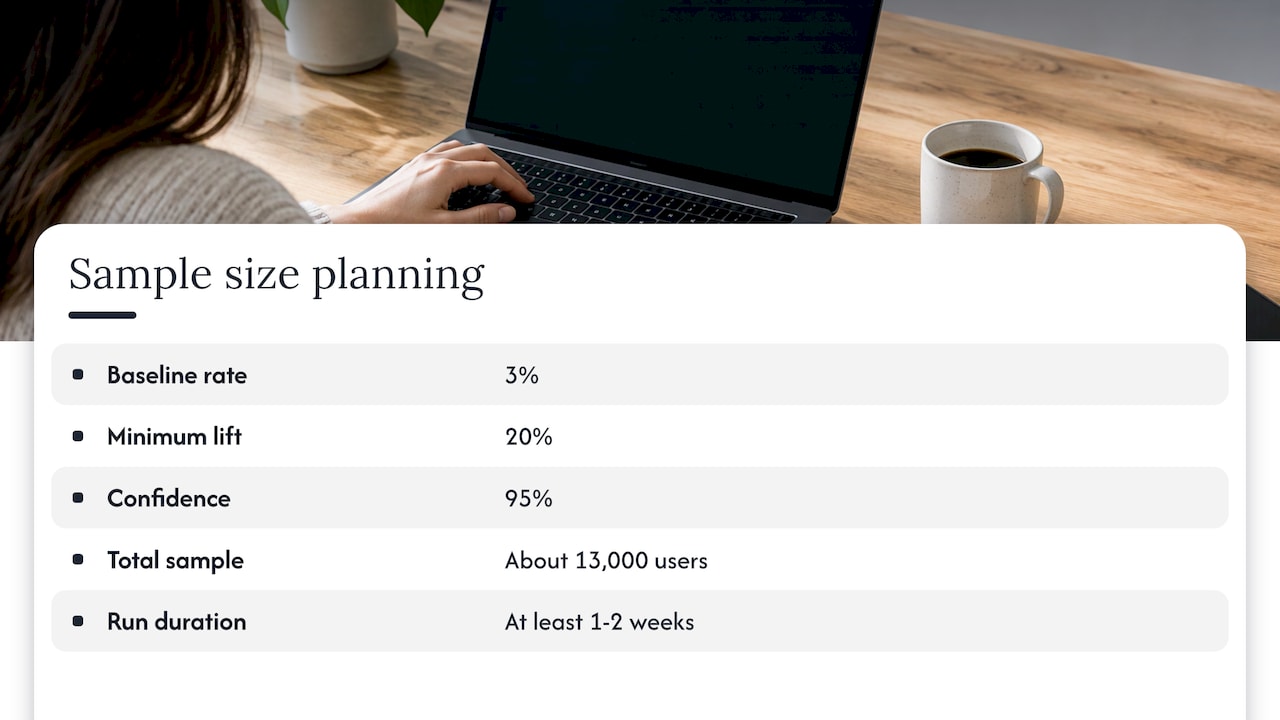
This is the step most beginners skip. Sample size depends on your baseline conversion rate, the smallest lift you care about (the minimum detectable effect) and your significance threshold, usually 95%. NN/g gives a worked example: with a 3% baseline, a 20% minimum detectable effect and 95% confidence, you need about 13,000 users in total, and they still recommend running at least one to two weeks even when traffic is sufficient, so that weekday and weekend behavior are both covered.
Small lifts cost much more traffic than big ones, because the sample needed grows quickly as the effect you want to detect shrinks. If your page gets 1,000 visitors a day and you need 13,000, you are looking at roughly two weeks. If you need ten times that, the test is a quarter-long commitment, and you should test a bigger change instead.
Where it goes wrong: starting without a number. Without it, you will stop when the result looks good, which is the most common way to get a false win.
6. Launch and leave it alone
Split traffic evenly, confirm both variants are receiving visitors in roughly equal numbers, and then let the test run to its planned sample. Stellar's free Sandbox plan covers businesses under 25,000 monthly tracked users, which is enough to run your first experiments on a typical small site.
Check speed and tracking before you send traffic
A no-code test changes the page, and every change can slow it down or break measurement. Two quick checks catch most problems.
Performance. Google's Core Web Vitals set the benchmarks: Largest Contentful Paint (how fast the main content appears) should be within 2.5 seconds, Interaction to Next Paint (how fast the page responds to a tap or click) within 200 milliseconds, and Cumulative Layout Shift (how much the layout jumps) at 0.1 or less, each measured at the 75th percentile of real visits. Run both control and variant through PageSpeed Insights. A variant that adds a heavy hero image can lose on speed alone, and you would blame the headline. A lightweight script is why we built Stellar around a 5.4KB footprint.
Tracking. For each variant, confirm that the conversion event fires once per completed action, that campaign parameters such as UTMs survive any redirect, and that the form actually submits. If one variation has a tracking or form bug, every number downstream is noise.
Single-page apps and dynamic content. Variants that live on pages rendered after load need to be reapplied as the view changes. Confirm the variant appears when you navigate to the page from inside the app, not only on a fresh load.
Reading the results without fooling yourself
The dashboard will show a lift and a confidence figure. Treat them with care.
Do not peek and stop. Checking results repeatedly and ending the test at the first significant reading inflates false positives, as Evan Miller's classic analysis of how not to run an A/B test shows. Decide the sample size in advance and read the result when you reach it.
Know what the p-value says. A p-value below 0.05 means that data this extreme would show up less than 5% of the time if there were no real difference. It does not mean there is a 95% chance your variant is better. The American Statistical Association made this point in its statement on p-values, and it adds that a result can be statistically significant without being large enough to matter.
Mind the business cycle. A rule of thumb from conversion researchers is to run a test through at least a couple of full weeks and collect a few hundred conversions per variation. CXL's list of common A/B testing mistakes puts the ballpark at 350 to 400 conversions per variation, with a 95% significance threshold.
Check that the split is the split you asked for. If you intended 50/50 and the observed visitor counts are noticeably lopsided, something is wrong with assignment or tracking, and the result should not be trusted until you find it. Our guide on avoiding false positives in A/B tests covers this in more detail.
Expect most tests not to win. Published experience from large experimentation programs suggests that a minority of ideas produce a clear win. A flat or negative result is information: it tells you the hypothesis was wrong and saves you from shipping a change that did nothing.
When A/B testing is not the right tool
No-code testing is not for every question:
- Low-traffic pages. If a page cannot reach its sample size in a reasonable window, NN/g notes that A/B testing is a poor fit. Look at recordings, surveys or user interviews instead.
- Bug fixes and legal changes. If something is broken or required, fix it. Do not test it.
- Questions about why. A split test shows what changed in behavior, not the reason. NN/g recommends pairing it with qualitative research. Our comparison of heatmaps and A/B testing shows how the two work together: heatmaps suggest what to test, the test tells you whether the fix worked.
- Server-decided content. A browser-side editor changes what the page displays. Prices, stock or search results decided on the server need a different setup.
Testing mobile apps
The same logic applies to mobile experiences, but plan for slower data: people open an app less often than they visit a website, so the same test usually needs a longer window to cover full weekly cycles. Stellar's no-code editor supports web and mobile. Define your events before launch and give the test at least two full weeks.
Start with a plan that fits your traffic
Stellar prices by monthly tracked users, so you pay for the traffic you test on. The plans as published on our site:
| Plan | Price |
|---|---|
| Sandbox | $0 per month |
| Plus | $29 per month |
| Pro | $99 per month |
| Scale | $399 per month |
| Enterprise | No published price |
The free Sandbox plan is for businesses under 25,000 monthly tracked users. Every plan gives you the no-code visual editor, dynamic keyword insertion, goal tracking and real-time analytics, with higher tiers adding more traffic and features. You can start on Stellar's plans and have your first variant live the same day you install the script.
If your first tests are on landing pages, our quick-start for no-code landing page testing and our landing page A/B testing strategies give you a sequence to follow.
Our perspective
Most teams we talk to are not short of ideas. They are short of tests that get launched. Every handoff to engineering adds days, and a calendar full of waiting is how a testing program quietly dies.
That is why we built Stellar around speed. A 5.4KB script keeps the page light, a visual editor lets the person who wrote the headline be the person who tests it, and real-time analytics show whether the goal is firing before you have spent a week on a broken setup.
Our advice is simple: test often, test one change at a time, decide your sample size first, and treat a flat result as a finding. Small and mid-sized teams do not need a heavyweight platform to run disciplined experiments. They need a tool that gets out of the way and a method they trust.
Juan
FAQ
Can you A/B test a website without coding?
Yes. A visual editor lets you click an element on your live page, change it and publish the variant, while a one-time script handles splitting traffic and measuring goals. With Stellar, that script is 5.4KB and connects directly to major site builders, so most marketers can launch a test without developer help.
How long should a no-code A/B test run?
Long enough to reach the sample size you calculated before launch, and at least one to two weeks, according to NN/g. Low-traffic pages take longer. Stopping the moment a result looks significant raises the chance of a false win.
How much traffic do I need?
It depends on your baseline conversion rate and the smallest lift you want to detect. NN/g's example, a 3% baseline, a 20% minimum detectable effect and 95% confidence, needs about 13,000 users. Smaller lifts need much more, so on a modest-traffic site test bold changes.
Is no-code A/B testing free?
You can start free. Stellar's Sandbox plan costs $0 per month for businesses under 25,000 monthly tracked users, and paid plans start at $29 per month with Plus.
Sources
- A/B Testing 101, Nielsen Norman Group
- Web Vitals, Google web.dev
- How Not To Run an A/B Test, Evan Miller
- ASA Statement on p-Values, American Statistical Association
- 12 A/B Testing Mistakes, CXL